Random Duck Race Start a race
In pictures

Random Duck Race in pictures

The setup, the start line, the race, the finish and the party after it — and a room where everyone races from their own phone.
Every picture on this page is taken from the game itself — the same free online duck race you can start right now in your browser, with no sign-up. Tap a picture to see it full size.

On the big screen
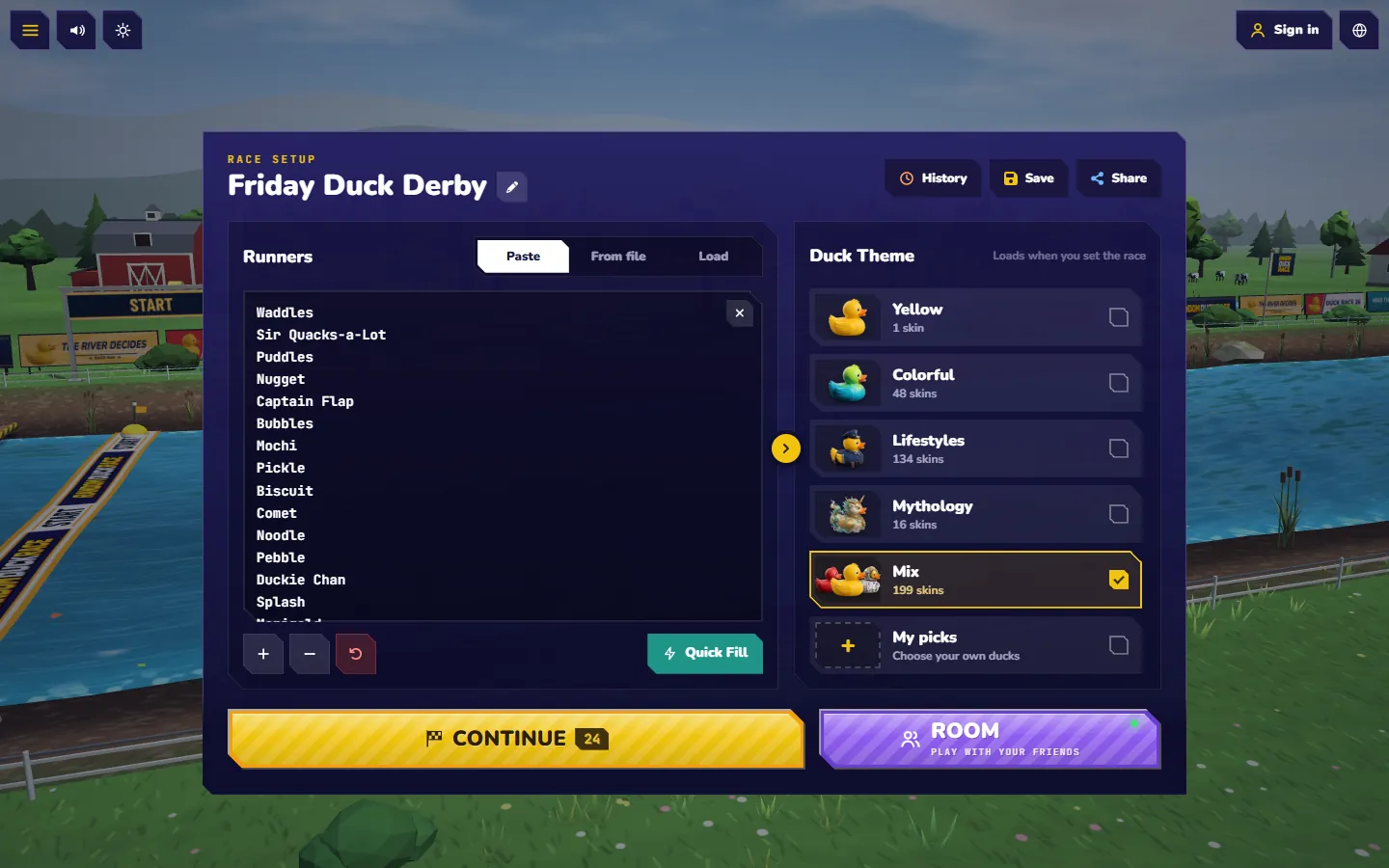
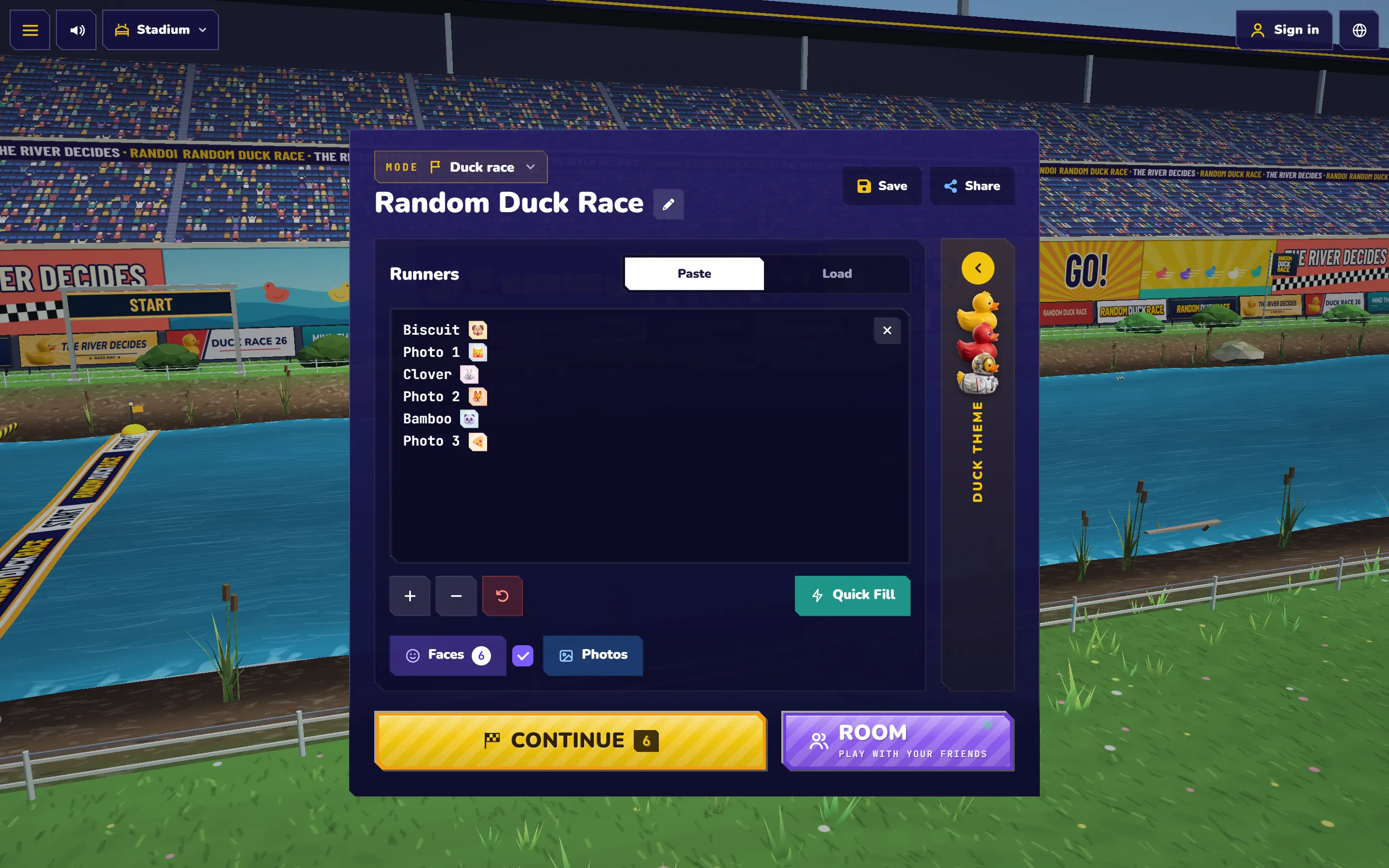
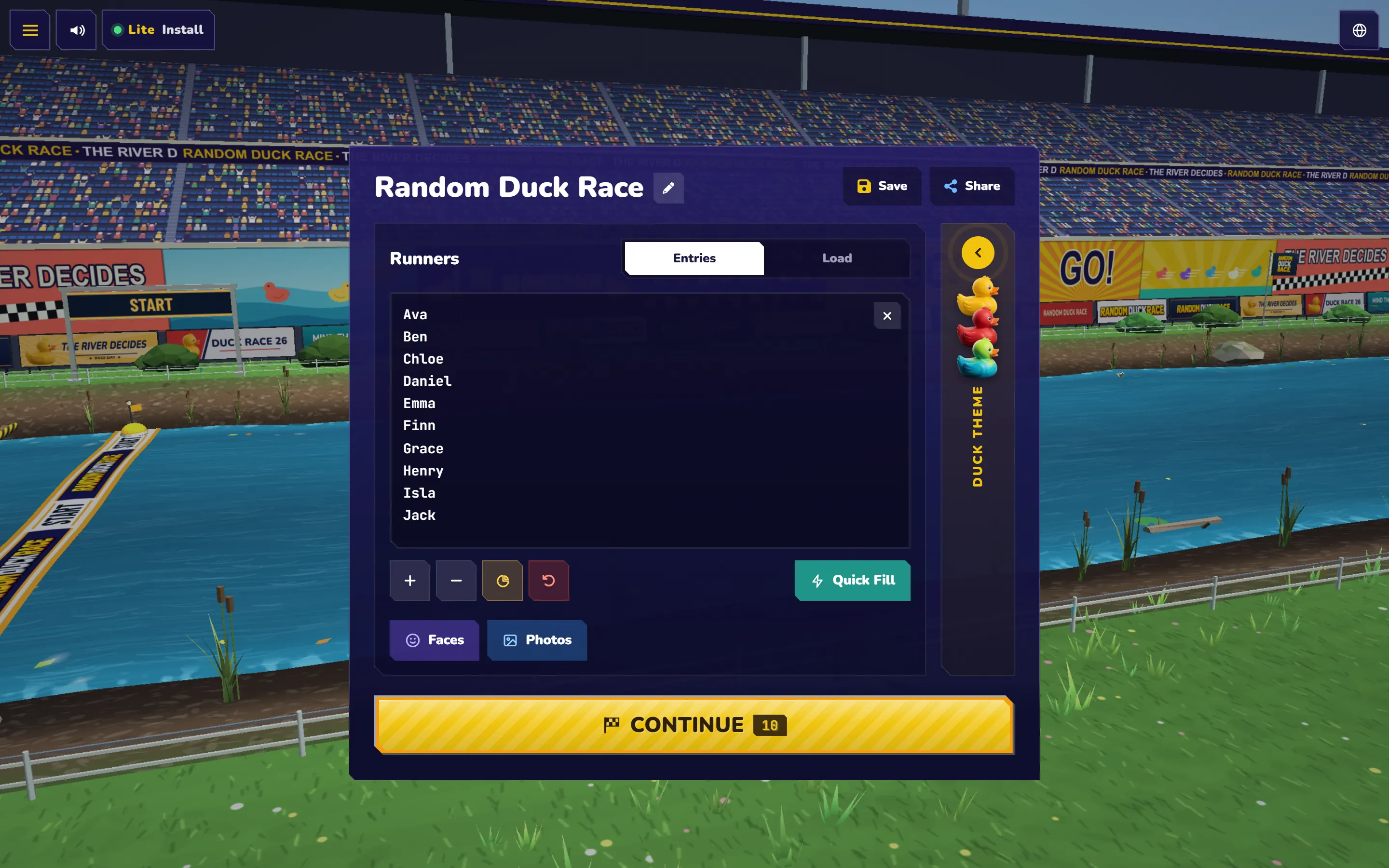
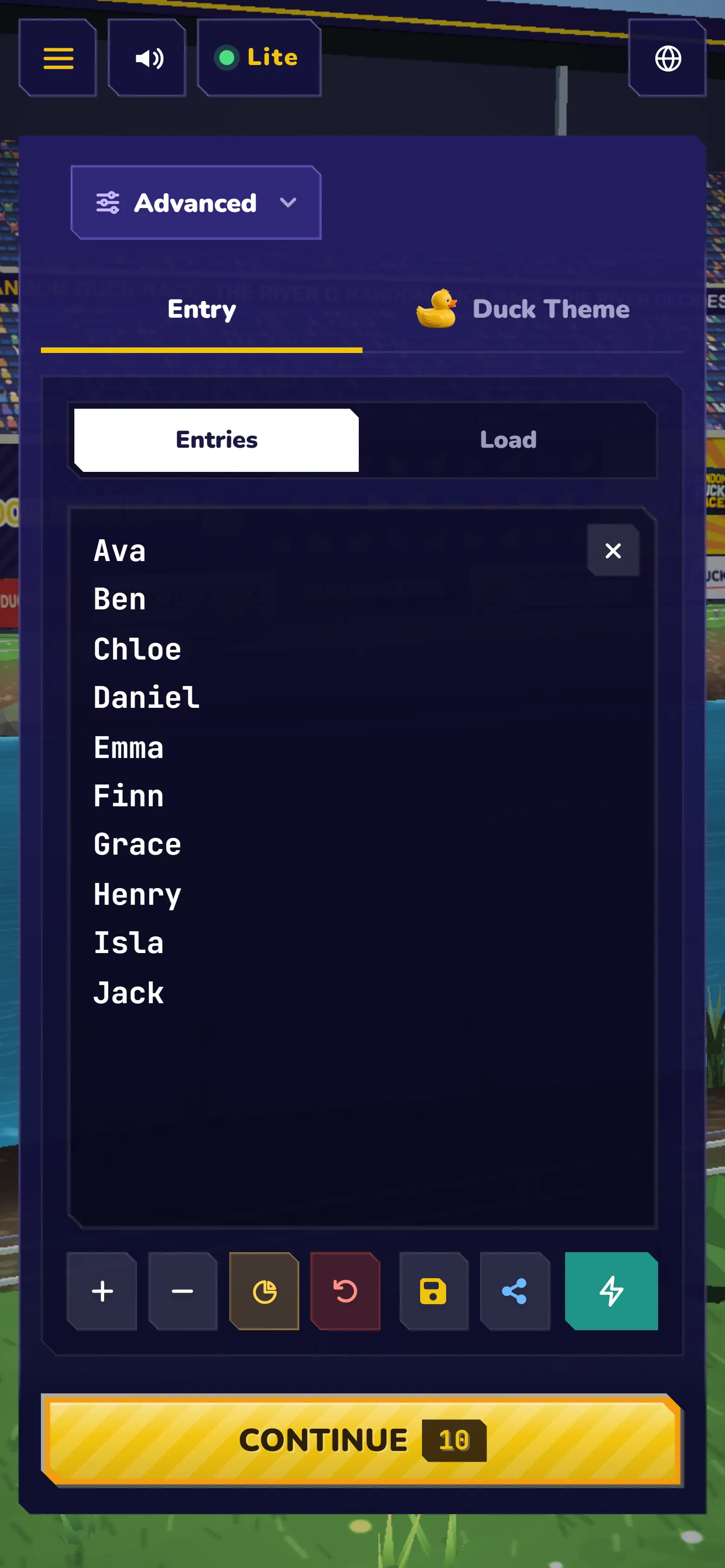
Random Duck Race screenshot, the race setup: Paste your names, pick a duck theme and press Continue — a race is ready in seconds.
The race setup Paste your names, pick a duck theme and press Continue — a race is ready in seconds.
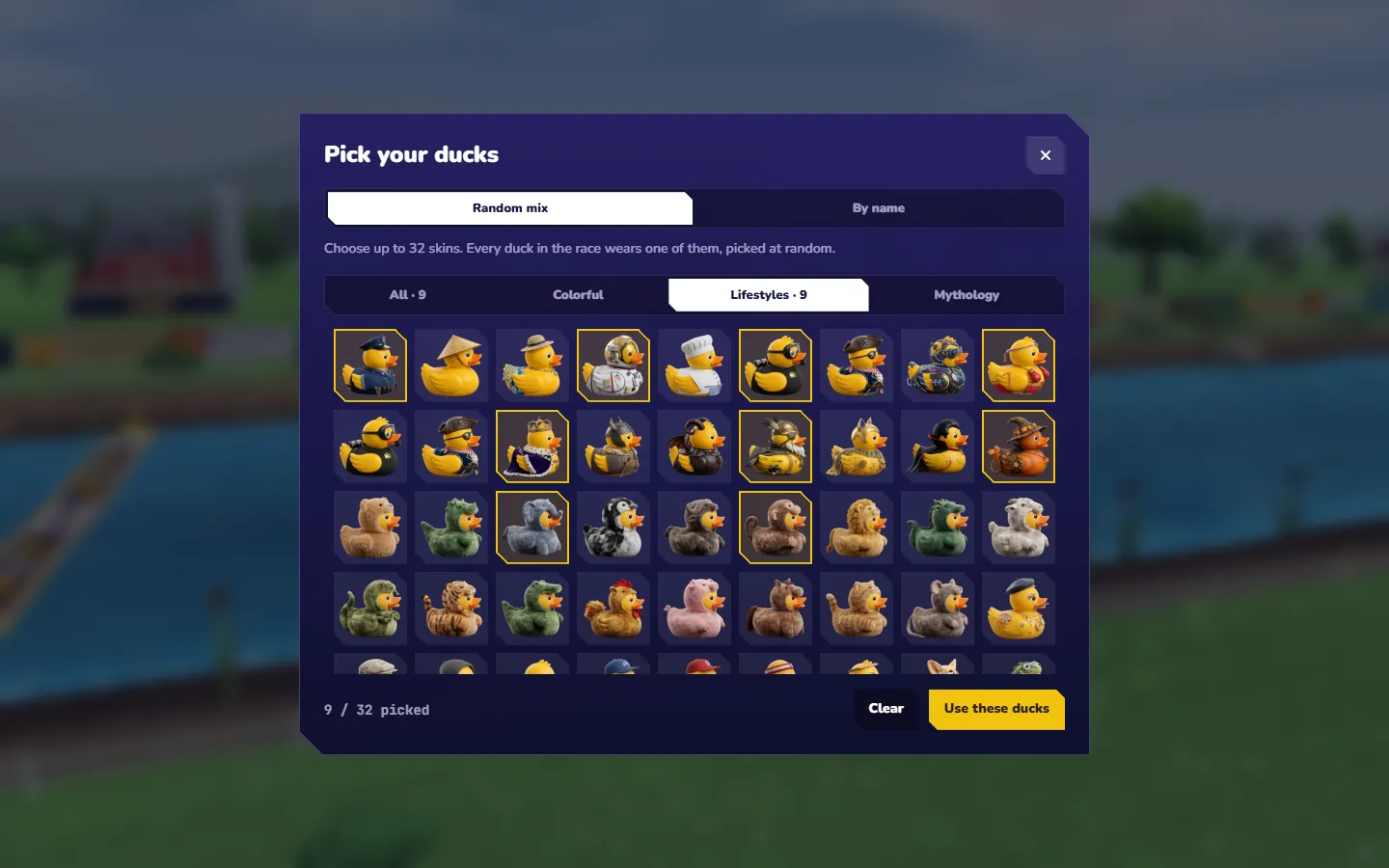
Random Duck Race screenshot, pick your ducks: My picks: choose up to 32 duck skins for the field, or a duck for each name.
Pick your ducks My picks: choose up to 32 duck skins for the field, or a duck for each name.
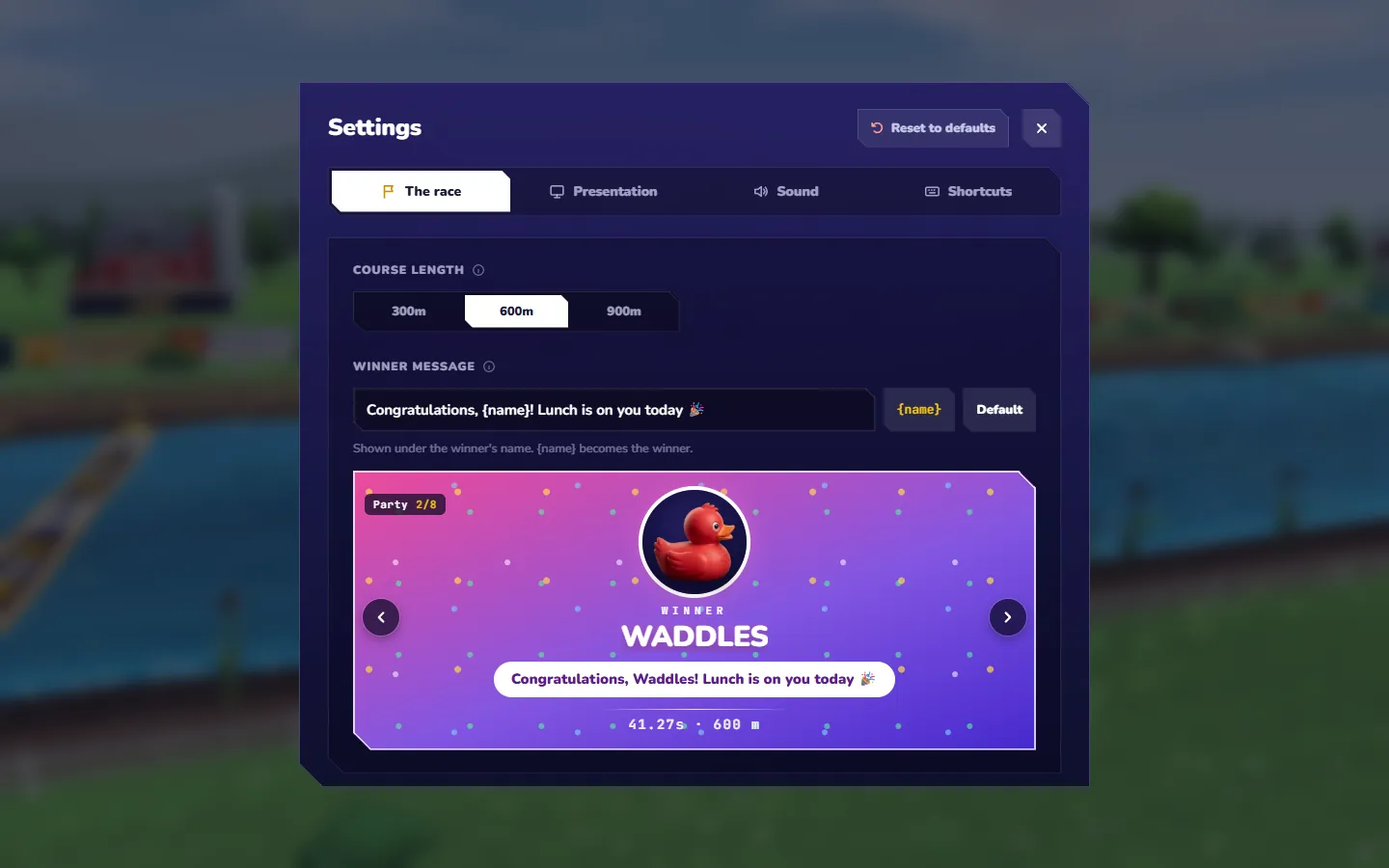
Random Duck Race screenshot, your winner message: Settings › The race: the course length and your own message for the winner, on one of eight cards.
Your winner message Settings › The race: the course length and your own message for the winner, on one of eight cards.
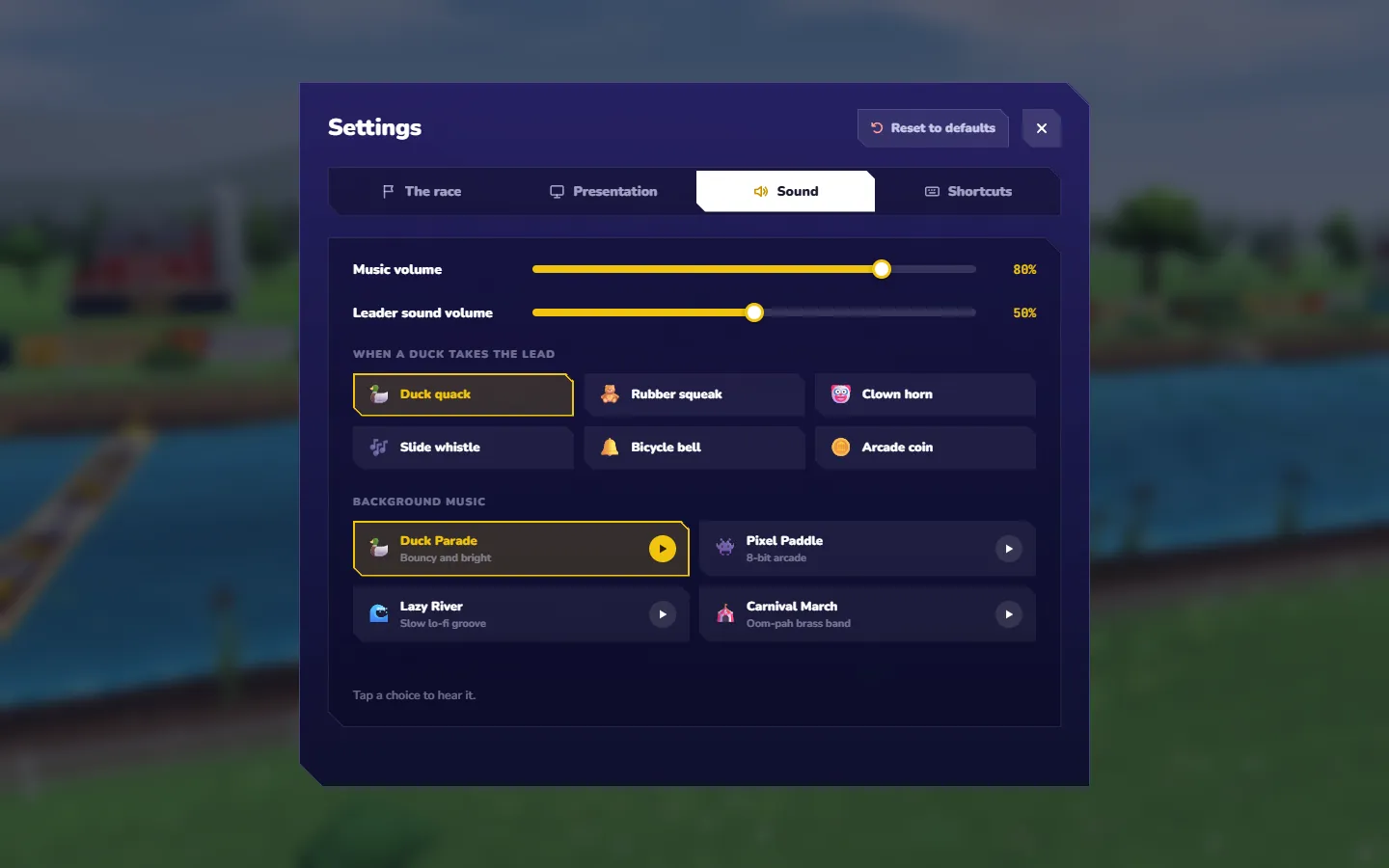
Random Duck Race screenshot, music and sounds: Four music tracks and six sounds for a new leader, each with its own volume.
Music and sounds Four music tracks and six sounds for a new leader, each with its own volume.
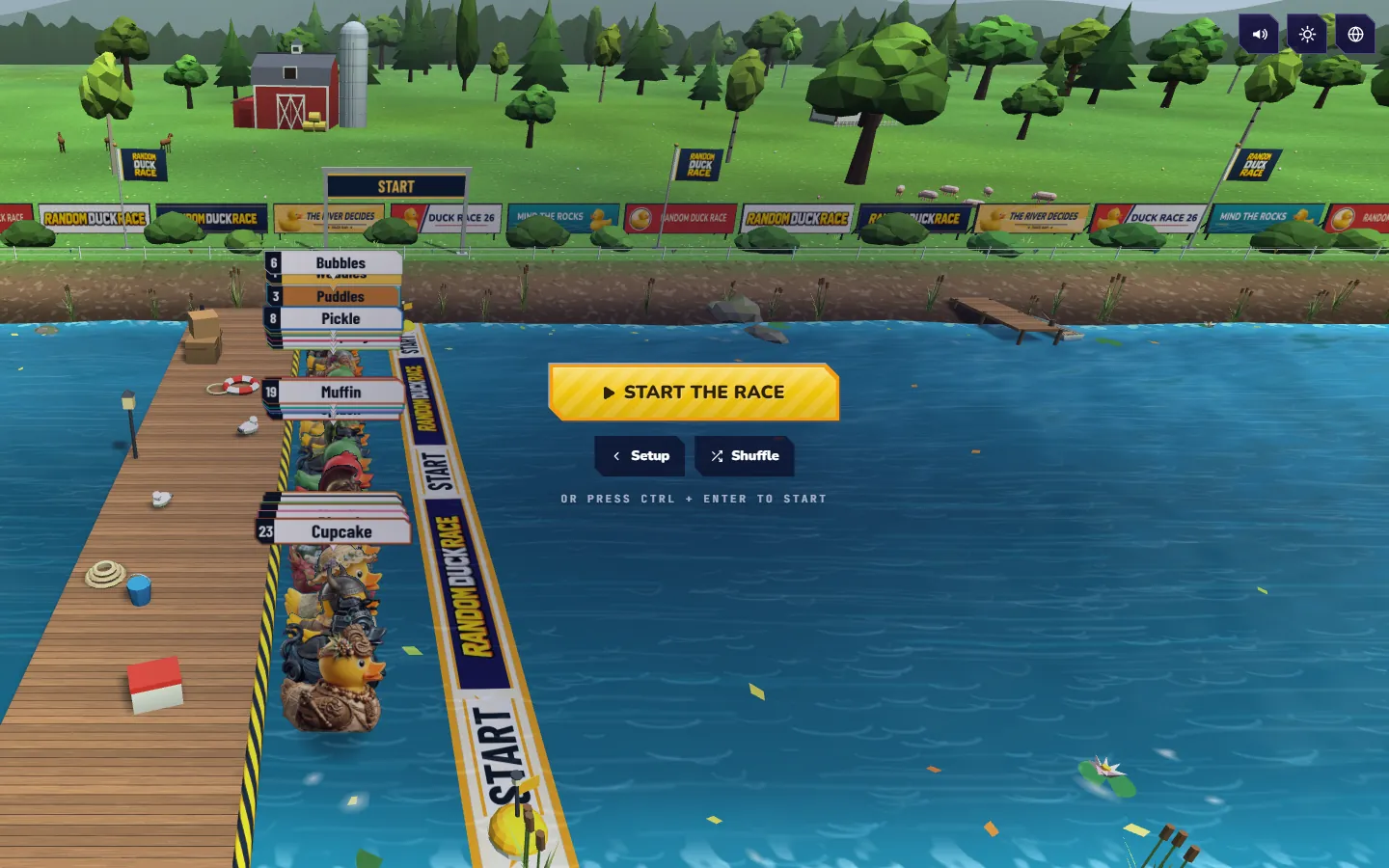
Random Duck Race screenshot, the start line: Every duck in its lane by the pontoon, the lanes drawn at random, ready for the off.
The start line Every duck in its lane by the pontoon, the lanes drawn at random, ready for the off.
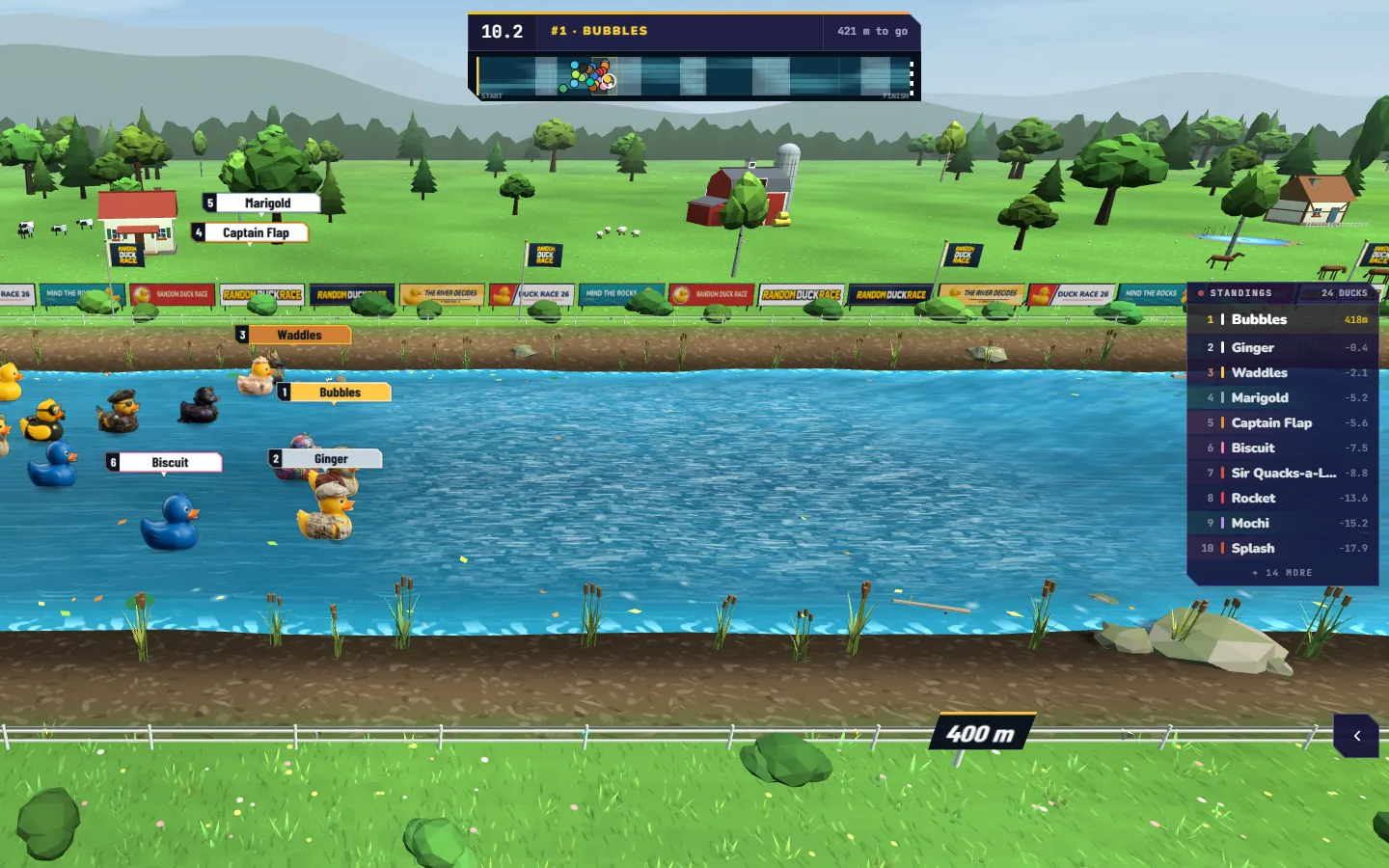
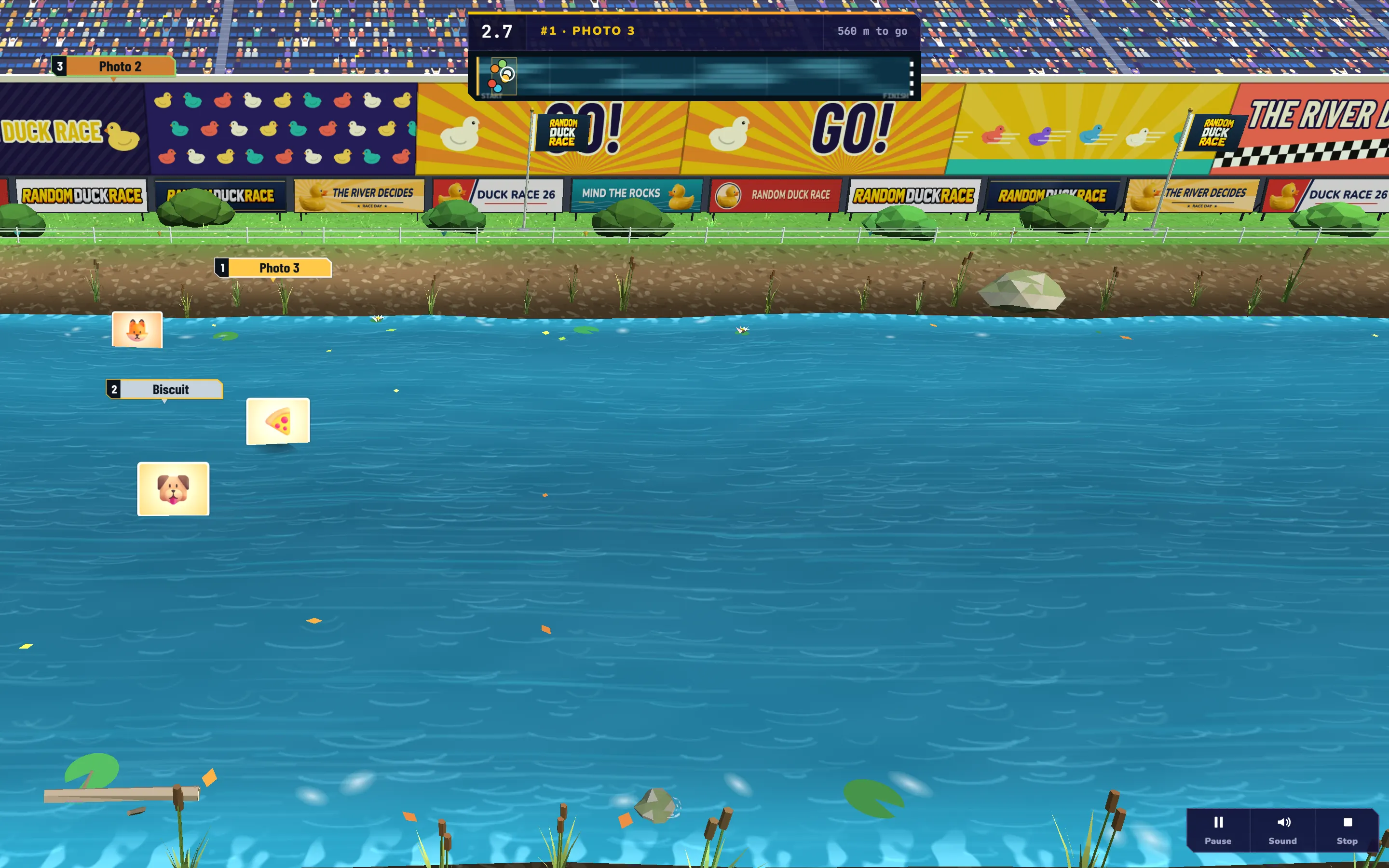
Random Duck Race screenshot, mid-race: The camera follows the leaders down the river, with the live standings beside it (Settings › Standings).
Mid-race The camera follows the leaders down the river, with the live standings beside it (Settings › Standings).
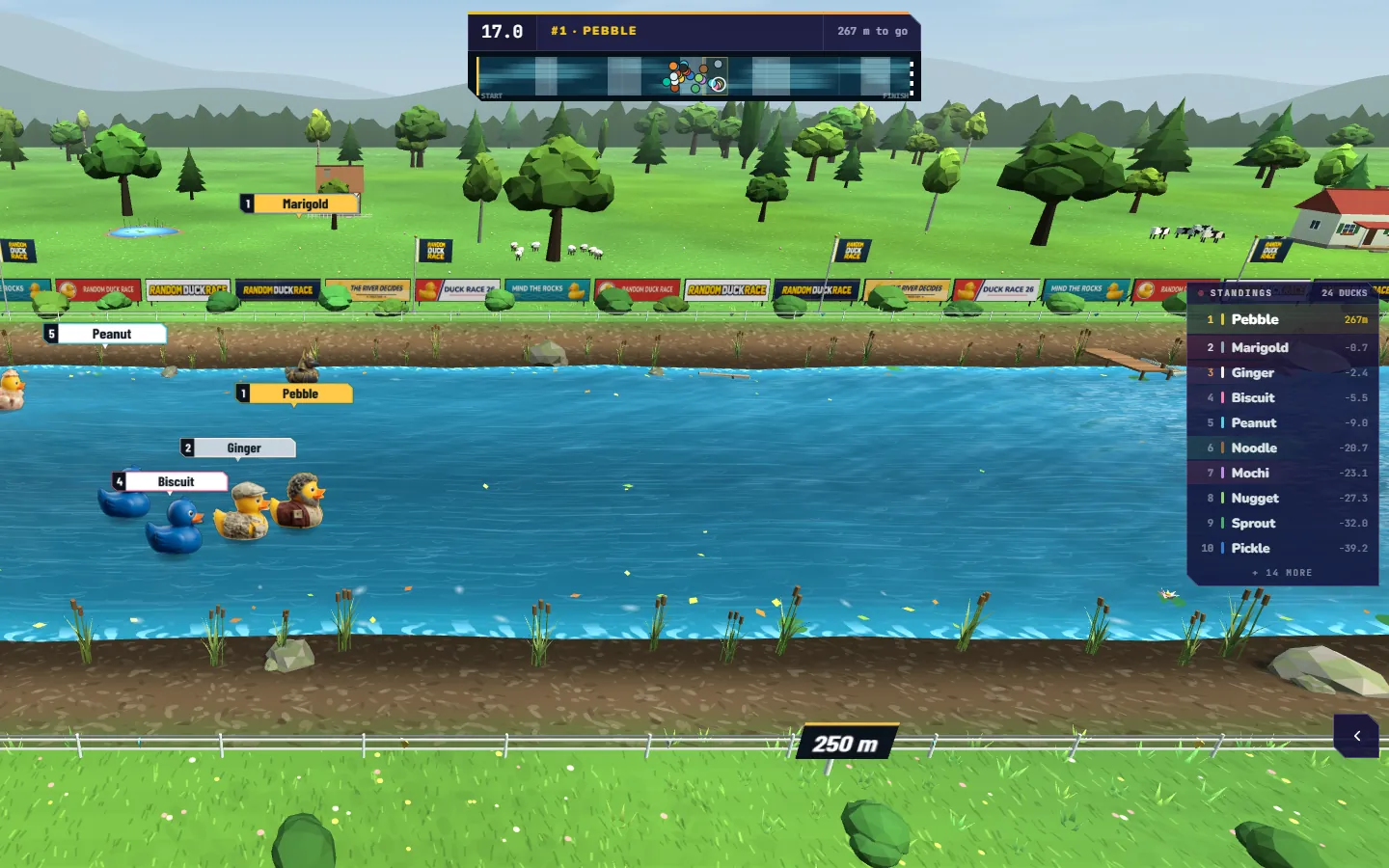
Random Duck Race screenshot, the chasing pack: The leader breaks clear while the pack fights it out behind — the current and the slipstreams shuffle the order again and again.
The chasing pack The leader breaks clear while the pack fights it out behind — the current and the slipstreams shuffle the order again and again.
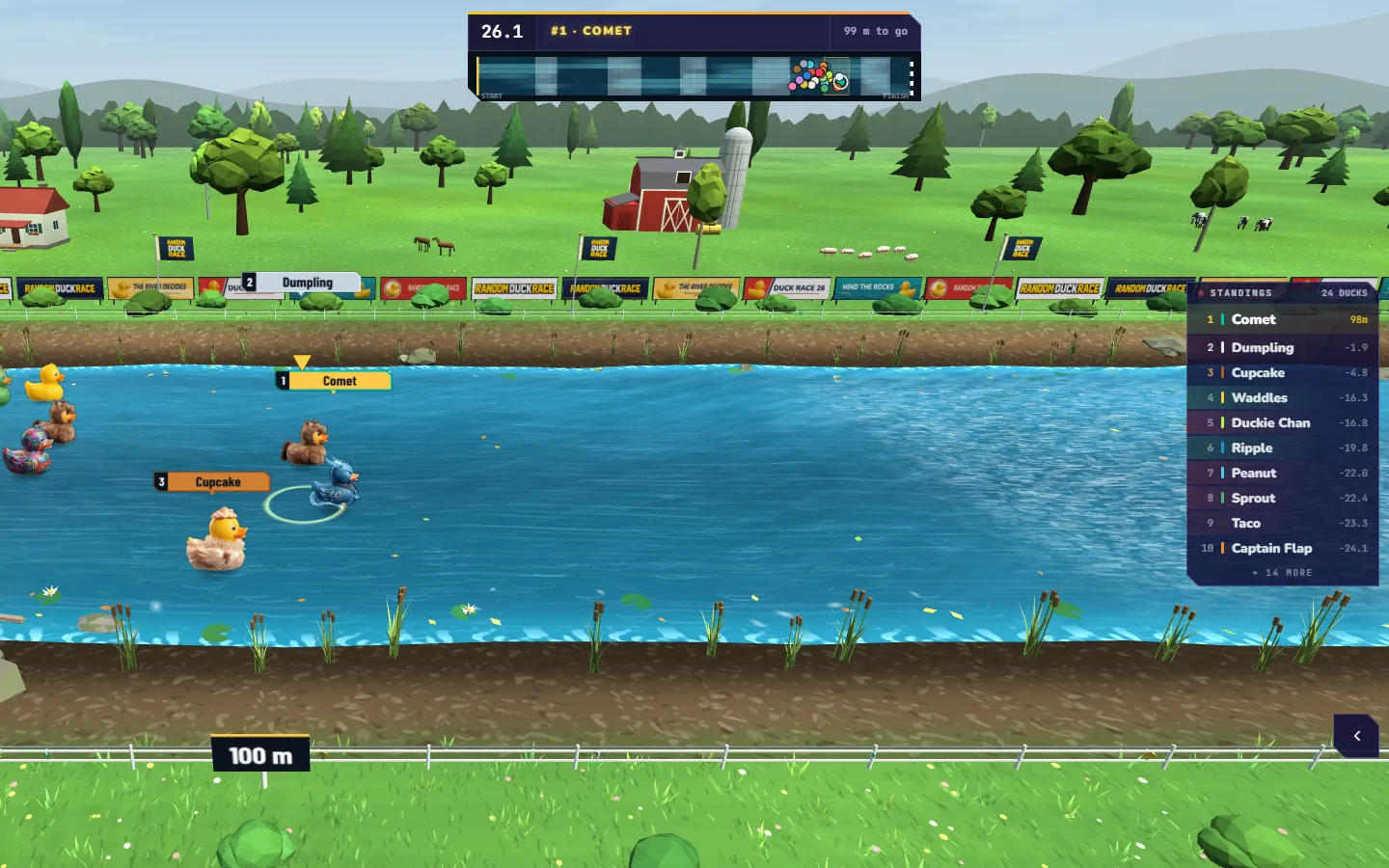
Random Duck Race screenshot, the final stretch: In the last metres a gold ring and arrow mark the duck in front, so everyone sees who leads.
The final stretch In the last metres a gold ring and arrow mark the duck in front, so everyone sees who leads.
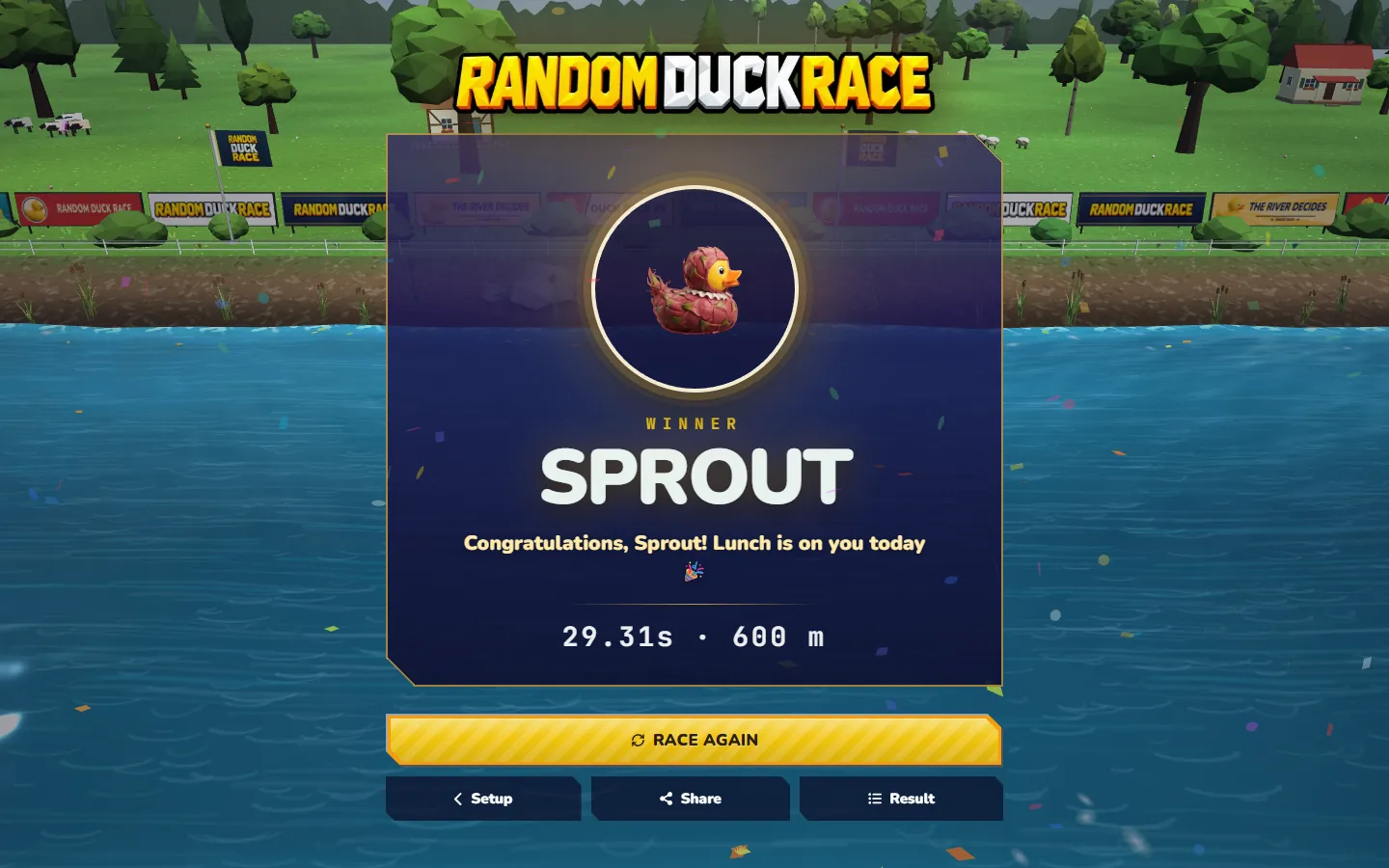
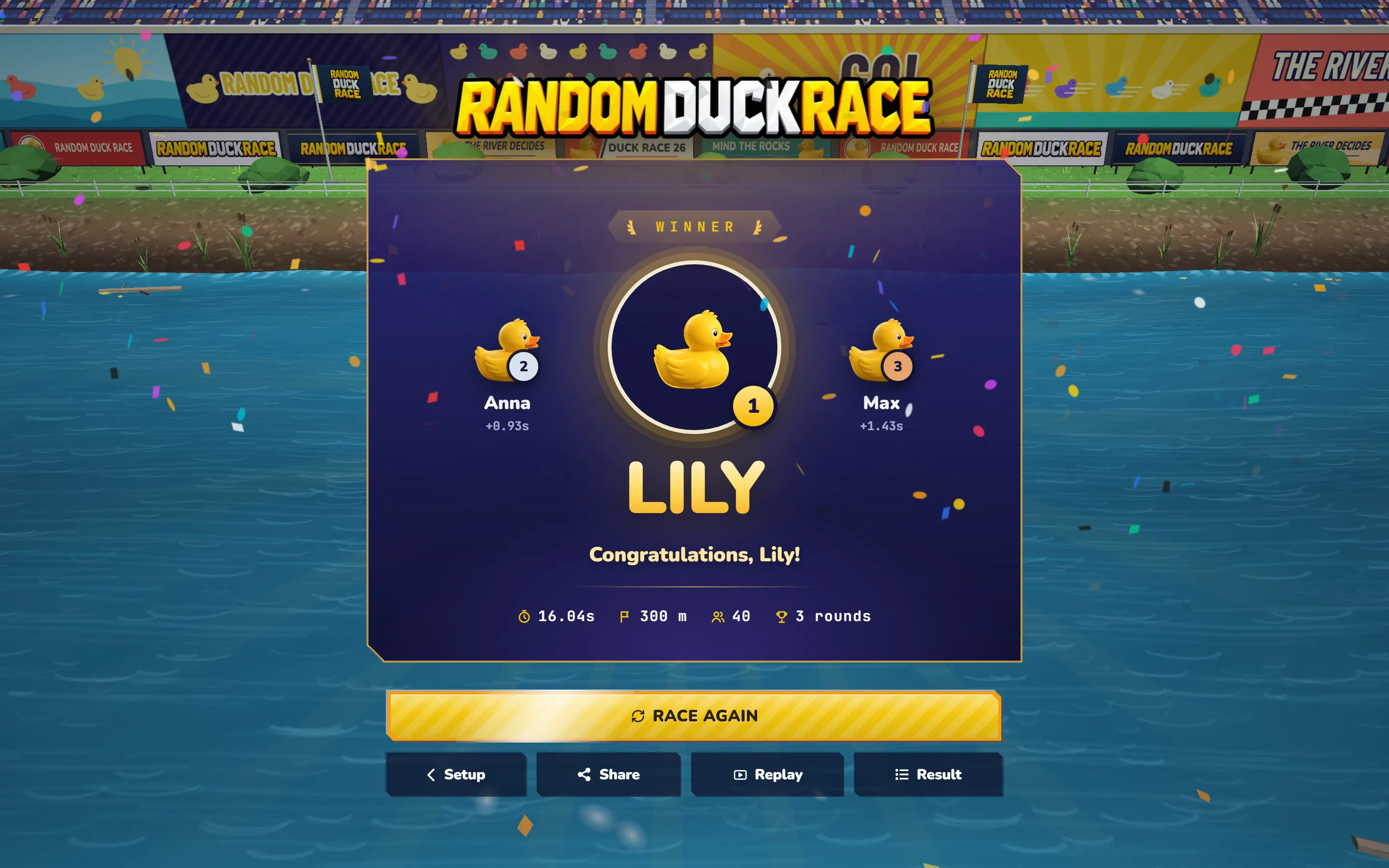
Random Duck Race screenshot, the winner: The champion’s screen, with fireworks, confetti and your own message under the winner’s name.
The winner The champion’s screen, with fireworks, confetti and your own message under the winner’s name.
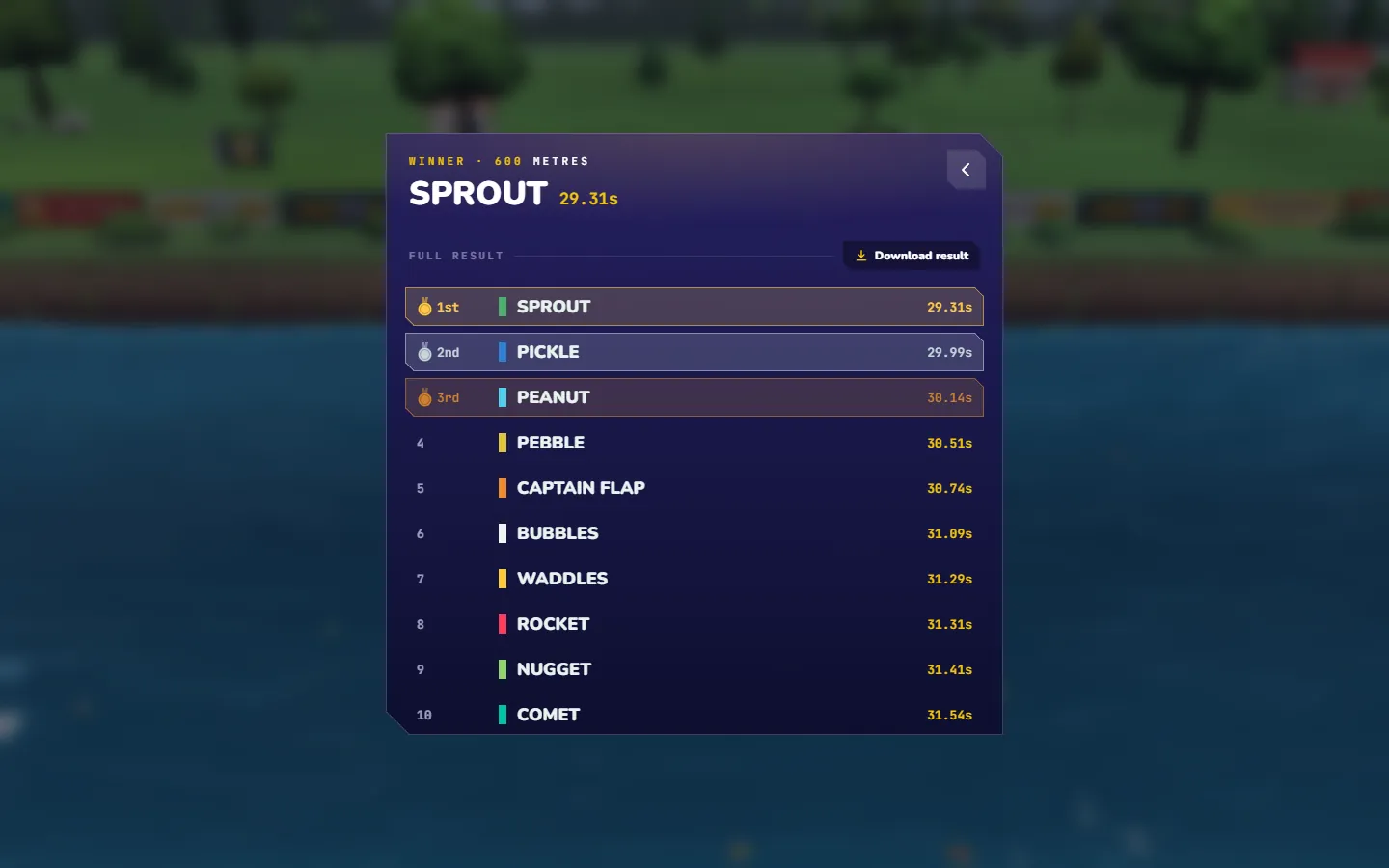
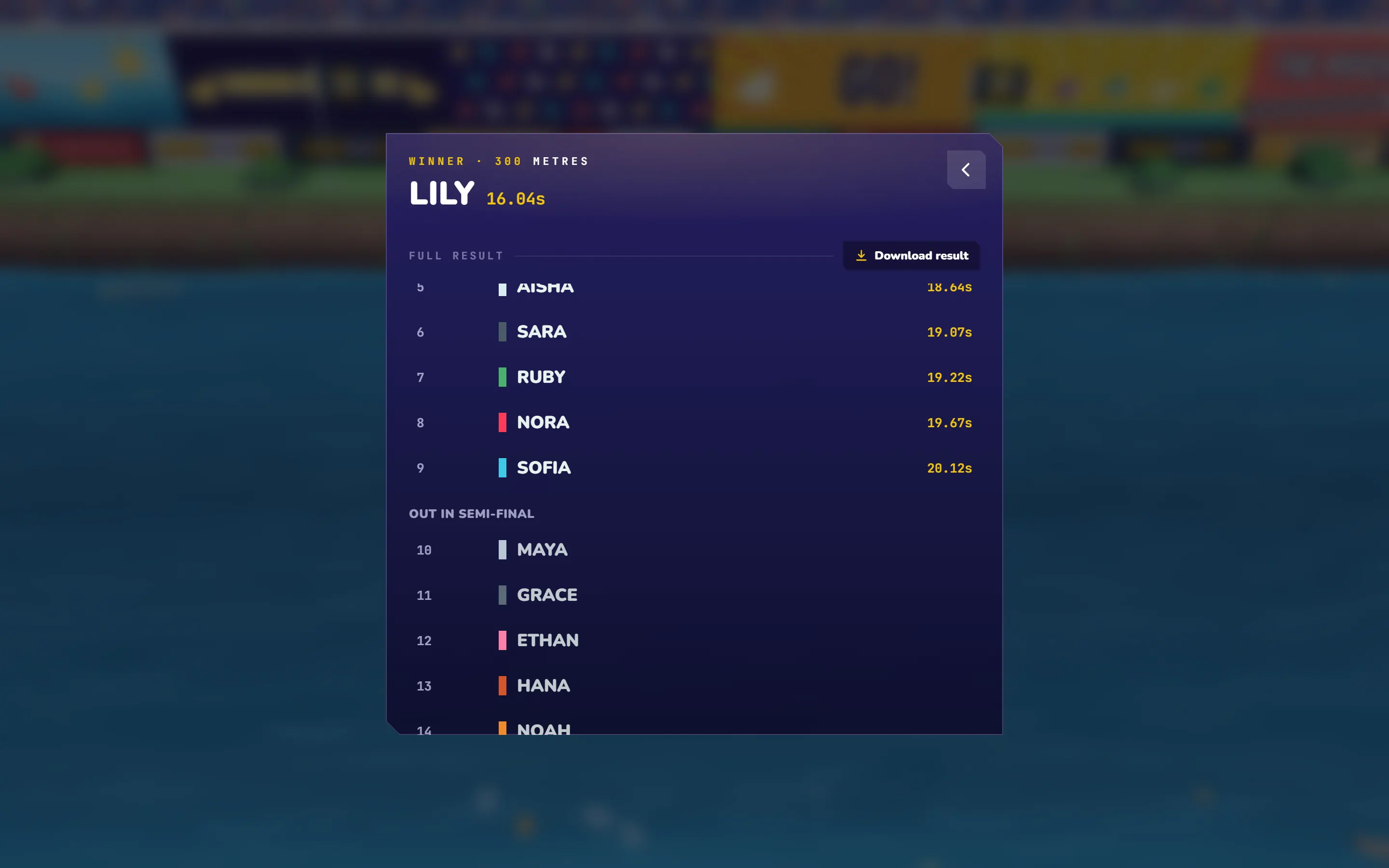
Random Duck Race screenshot, the full result: Every duck’s place, time and gap to the winner — ready to download as an image or a spreadsheet.
The full result Every duck’s place, time and gap to the winner — ready to download as an image or a spreadsheet.
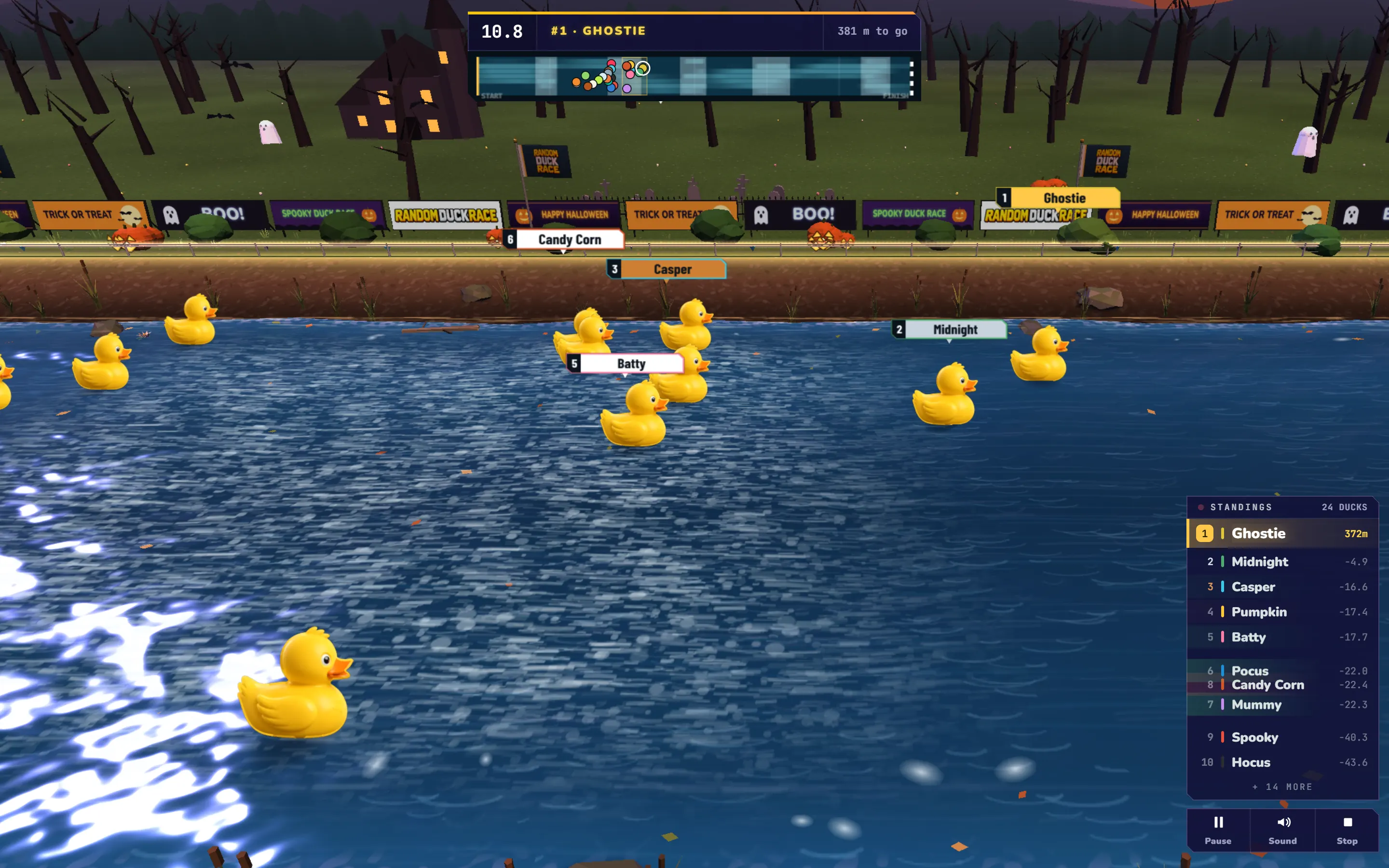
Random Duck Race screenshot, a Halloween race: The Halloween scenery: bare trees, jack-o’-lanterns, a graveyard and a haunted house under a violet sky, ghosts and bats over the far bank (Settings › Scenery).
A Halloween race The Halloween scenery: bare trees, jack-o’-lanterns, a graveyard and a haunted house under a violet sky, ghosts and bats over the far bank (Settings › Scenery).
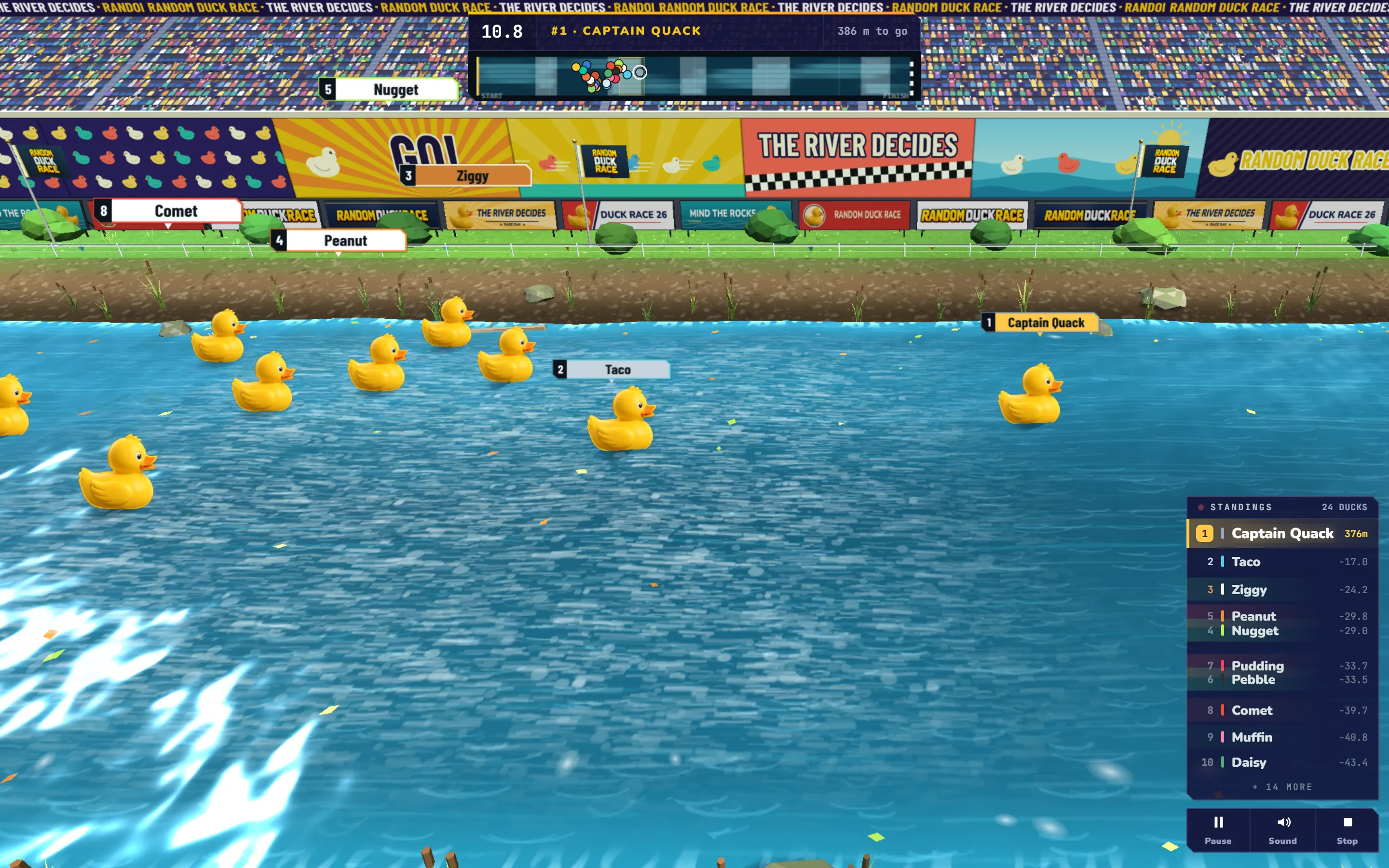
Random Duck Race screenshot, a race in the stadium: The Stadium scenery: a painted wall, two tiers of crowd under a roof and floodlights along the far bank (Settings › Scenery).
A race in the stadium The Stadium scenery: a painted wall, two tiers of crowd under a roof and floodlights along the far bank (Settings › Scenery).
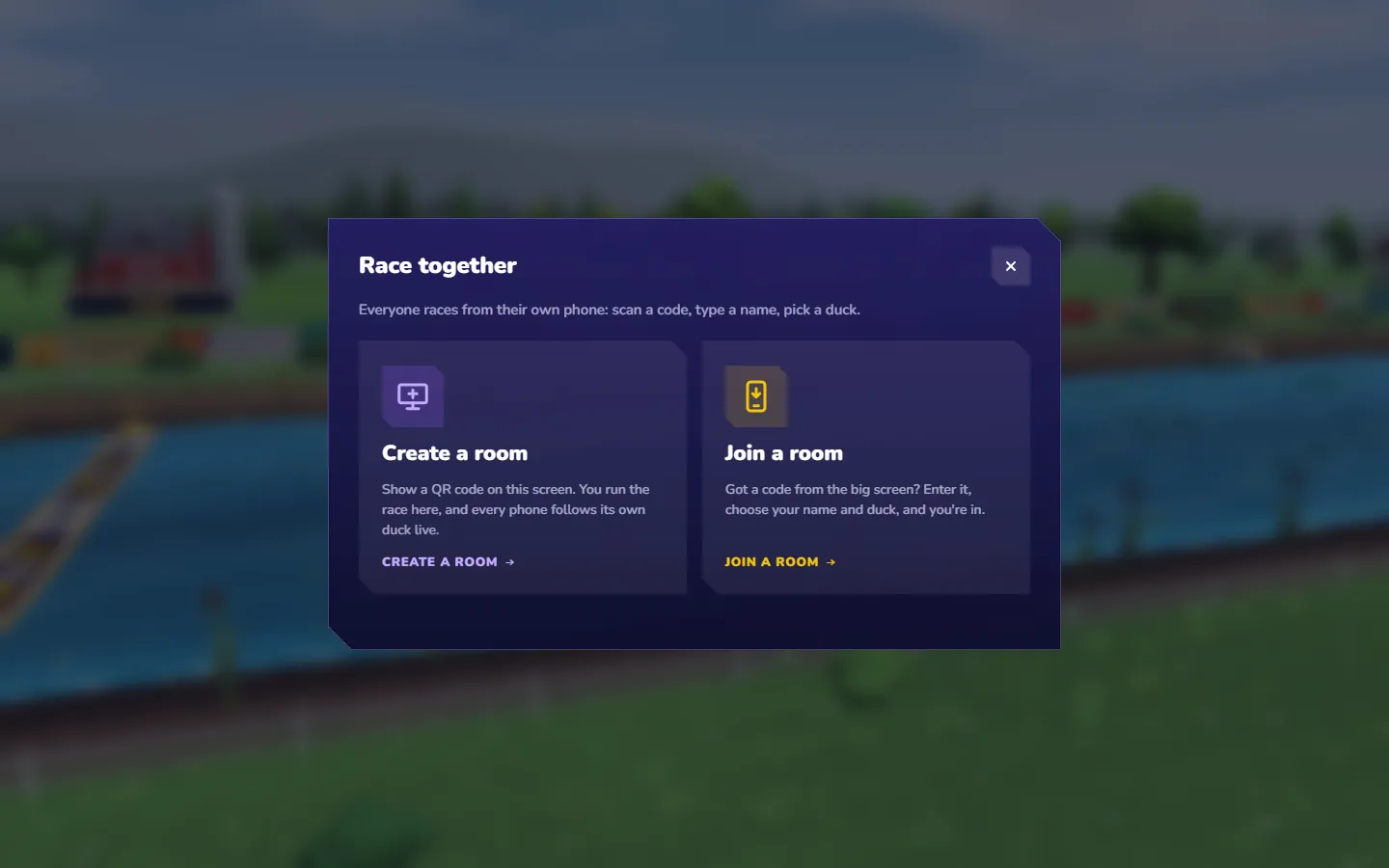
Random Duck Race screenshot, race together: Create a room on the big screen, or join one from a phone with a code.
Race together Create a room on the big screen, or join one from a phone with a code.
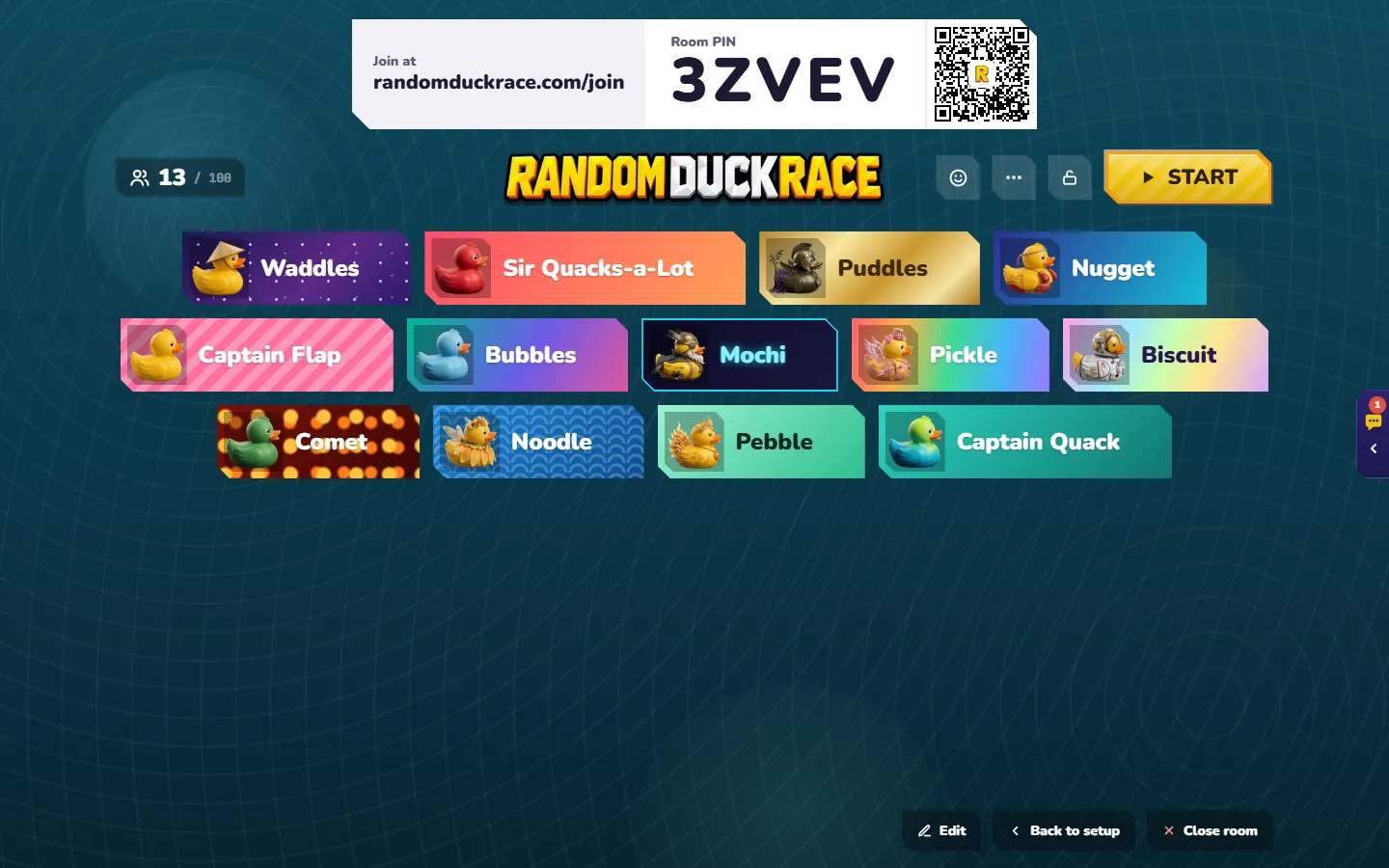
Random Duck Race screenshot, the room lobby: Every player’s duck and card style on the big screen, with the room PIN and QR code.
The room lobby Every player’s duck and card style on the big screen, with the room PIN and QR code.
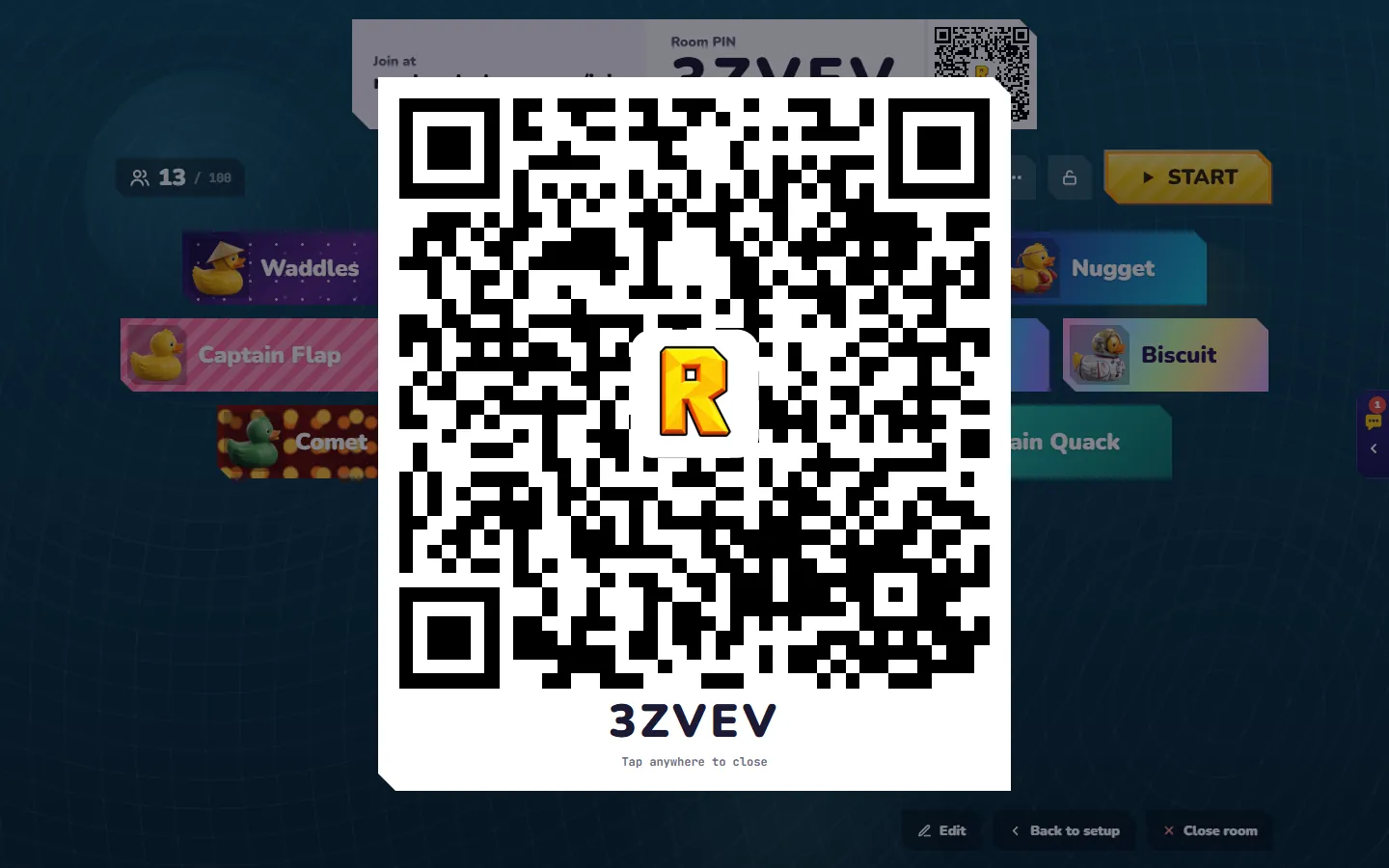
Random Duck Race screenshot, scan to join: The big QR code, for players across the room to scan and join the race.
Scan to join The big QR code, for players across the room to scan and join the race.
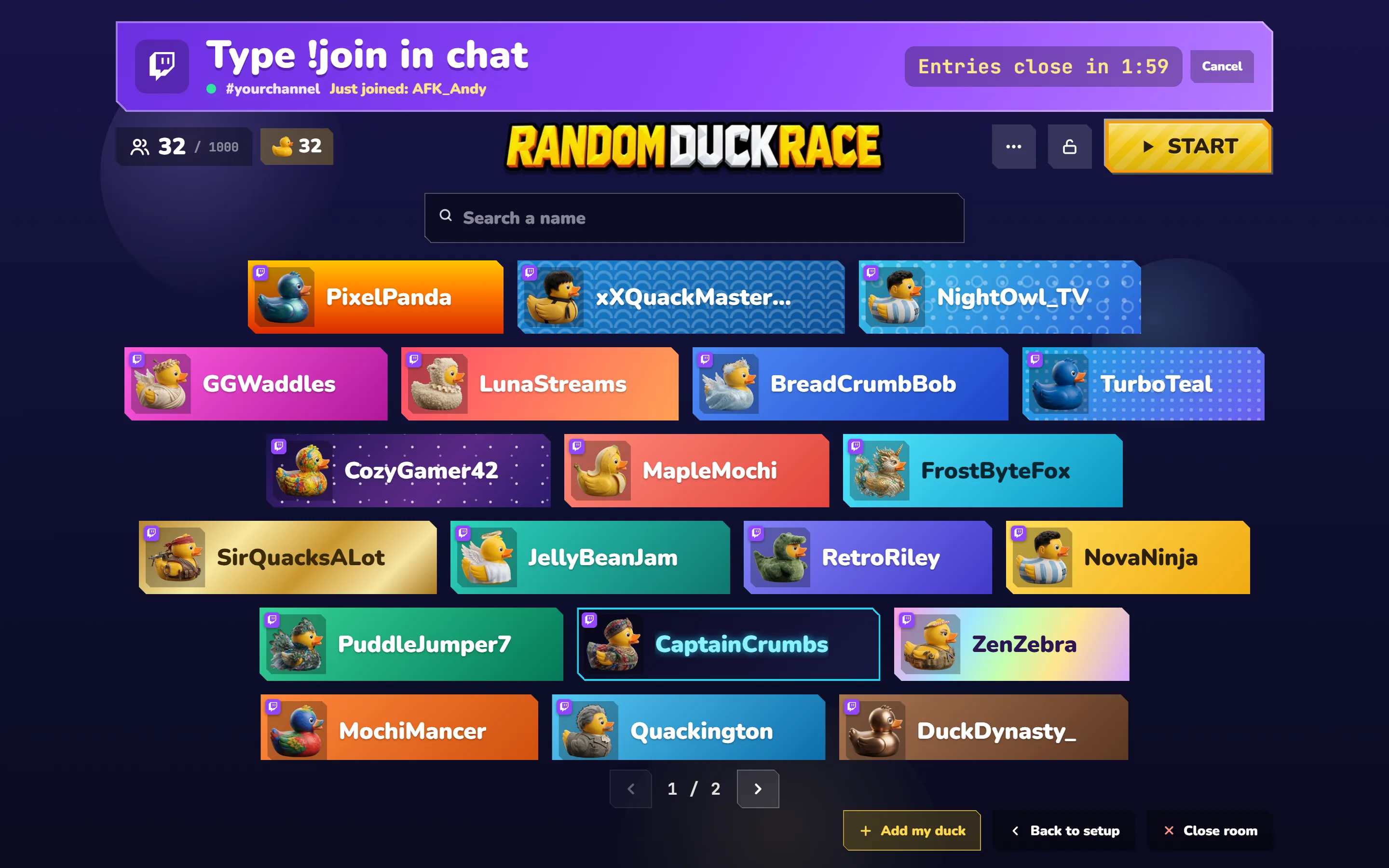
Random Duck Race screenshot, the stream lobby: Every viewer who types !join gets a card on stream, with the entries closing on a countdown.
The stream lobby Every viewer who types !join gets a card on stream, with the entries closing on a countdown.
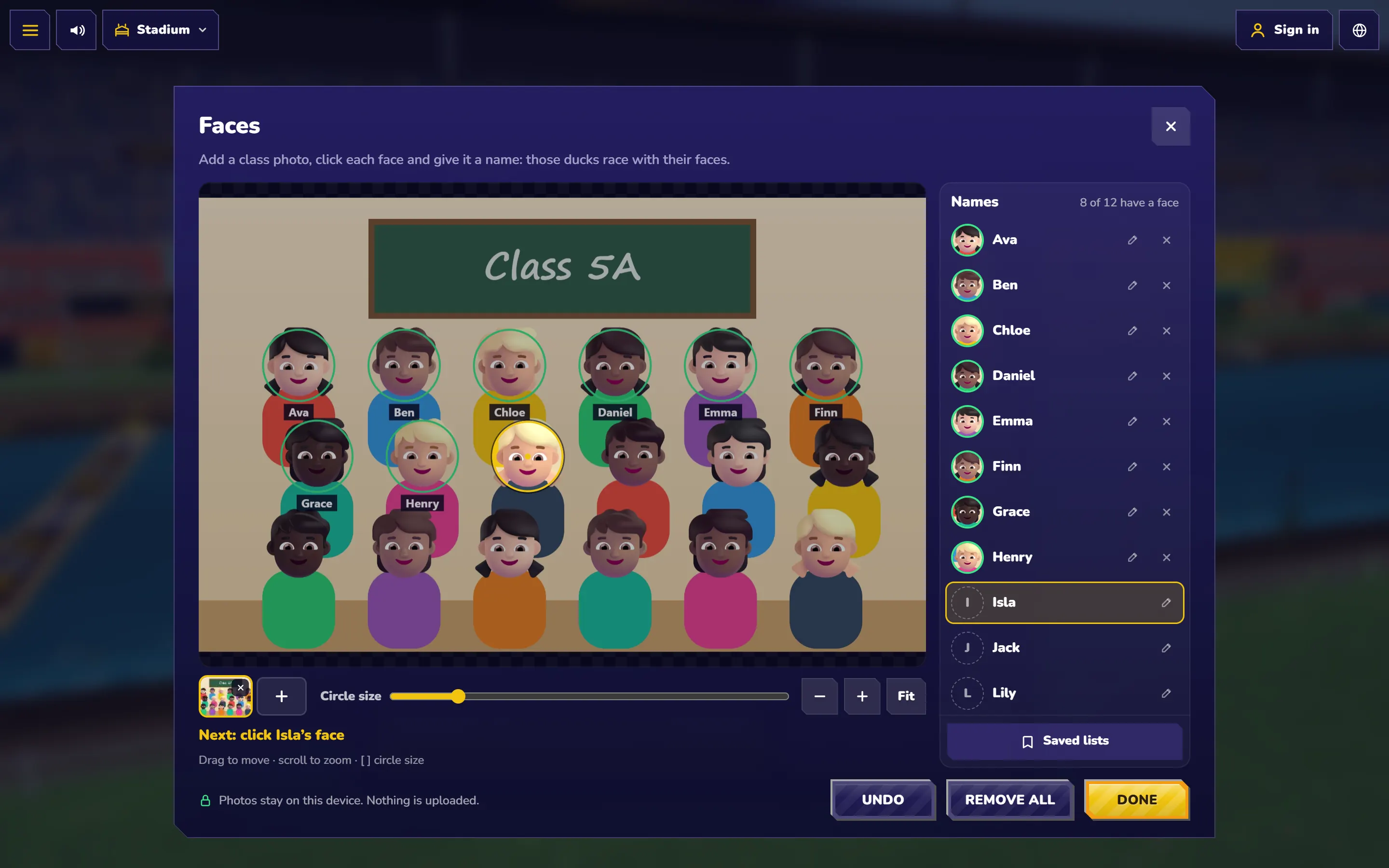
Random Duck Race screenshot, faces from one class photo: Size the circle to the faces and click each one: it goes to the name picked in the list, and the next name is picked for you.
Faces from one class photo Size the circle to the faces and click each one: it goes to the name picked in the list, and the next name is picked for you.
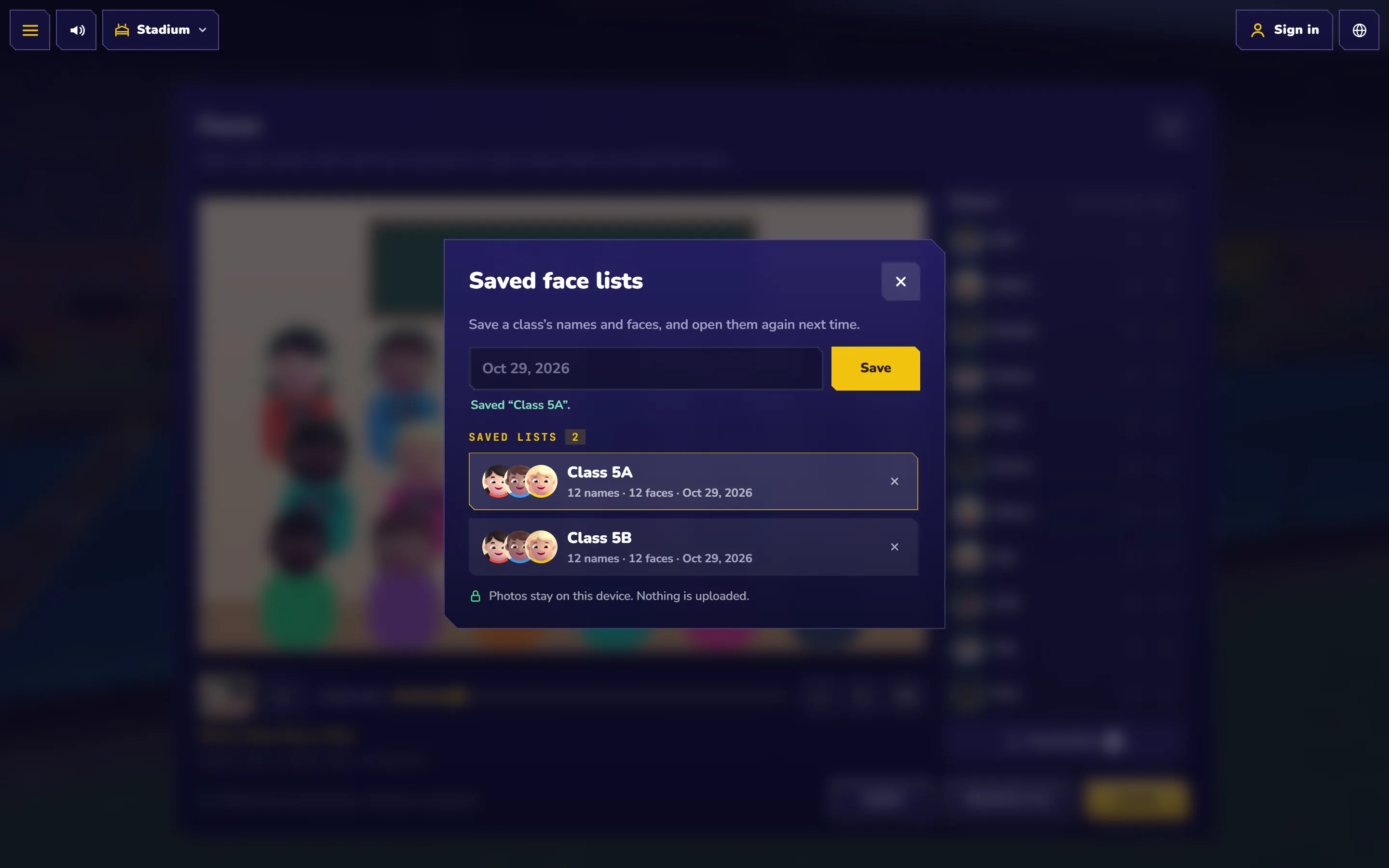
Random Duck Race screenshot, saved face lists: Save a class’s names and faces under a name of your own, and open them again next lesson.
Saved face lists Save a class’s names and faces under a name of your own, and open them again next lesson.
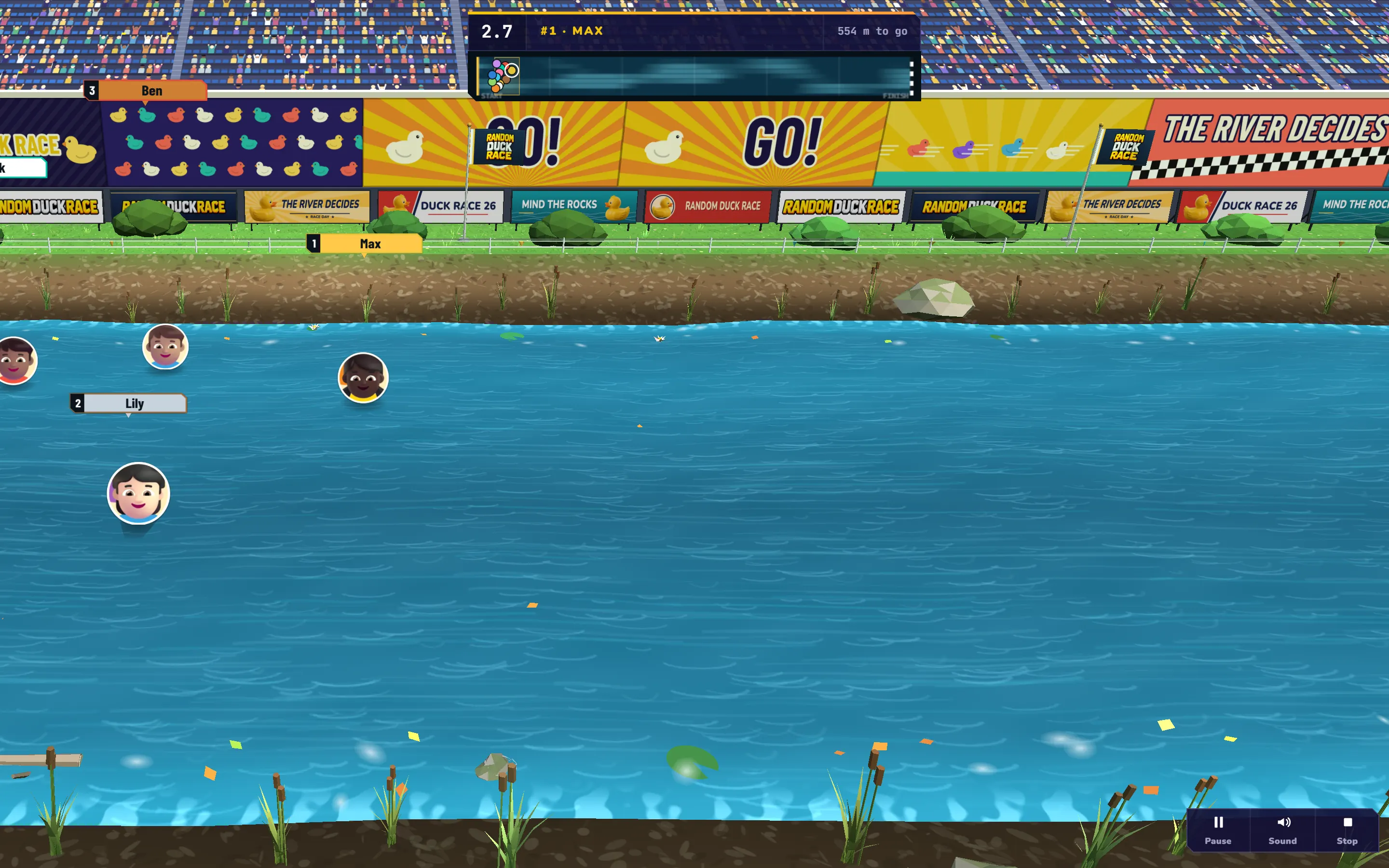
Random Duck Race screenshot, racing as their faces: Every name with a face races as a round badge of it, down the same 3D river.
Racing as their faces Every name with a face races as a round badge of it, down the same 3D river.
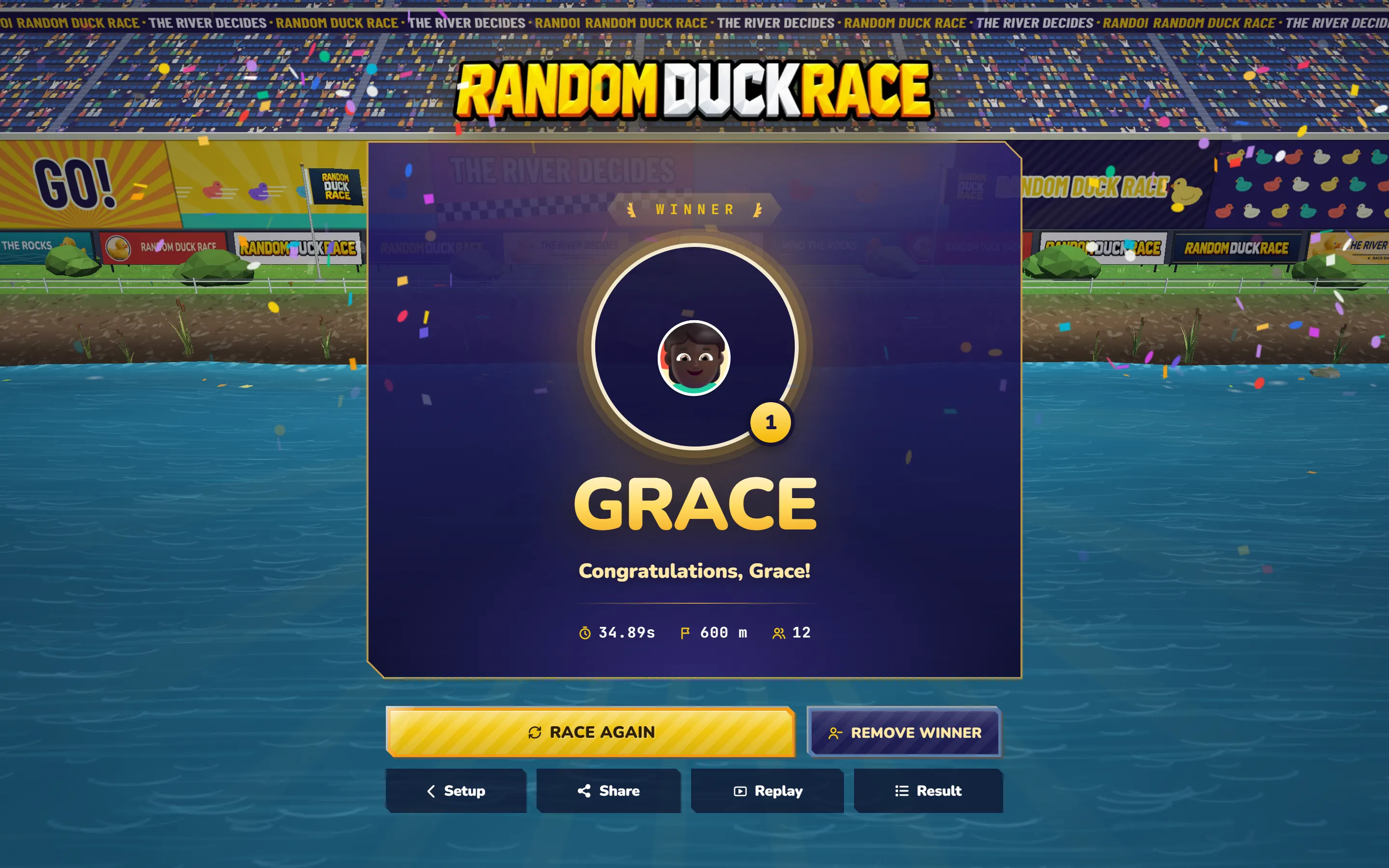
Random Duck Race screenshot, a face on the winner’s screen: The champion’s screen shows the winner’s own face.
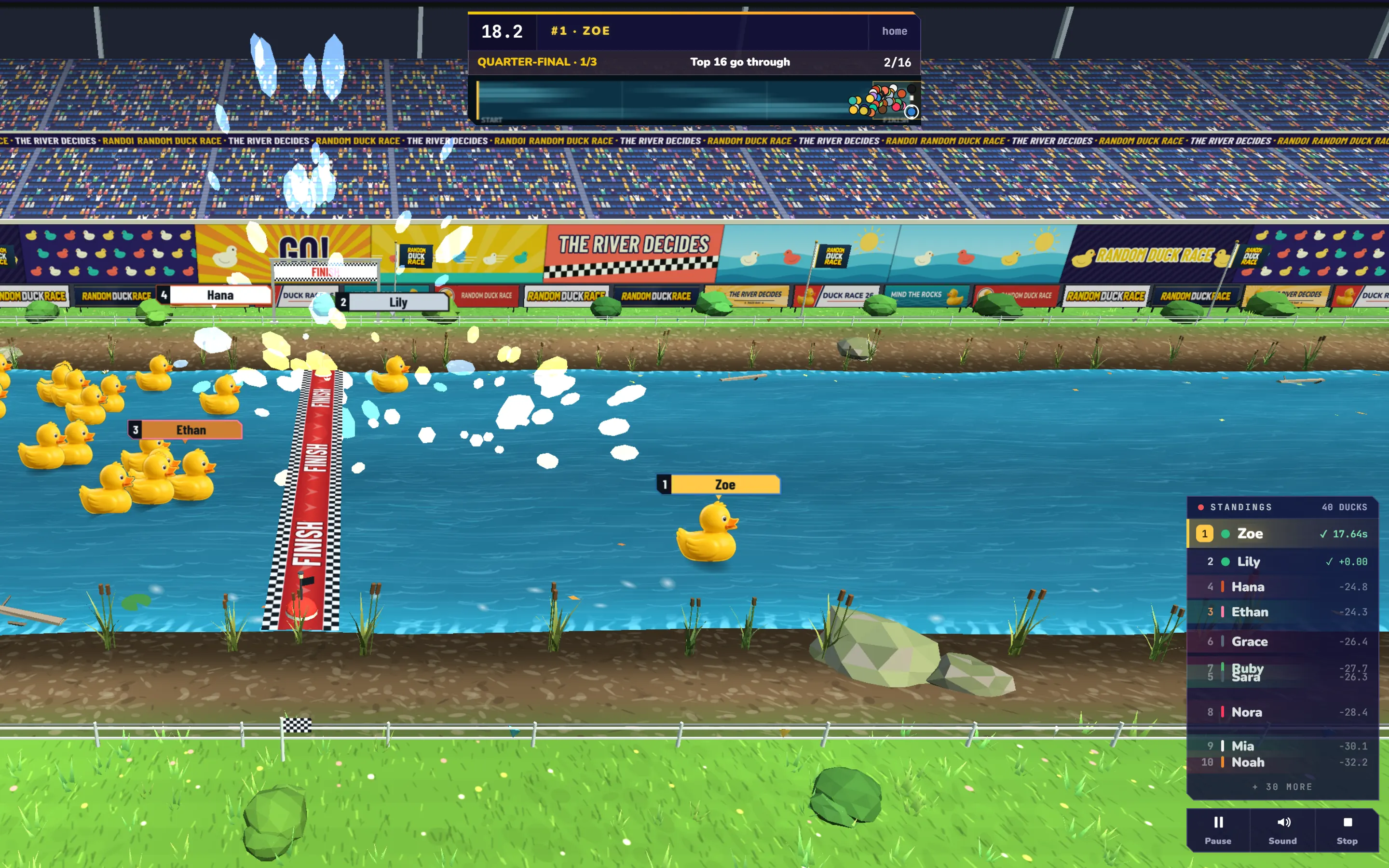
A face on the winner’s screen The champion’s screen shows the winner’s own face.
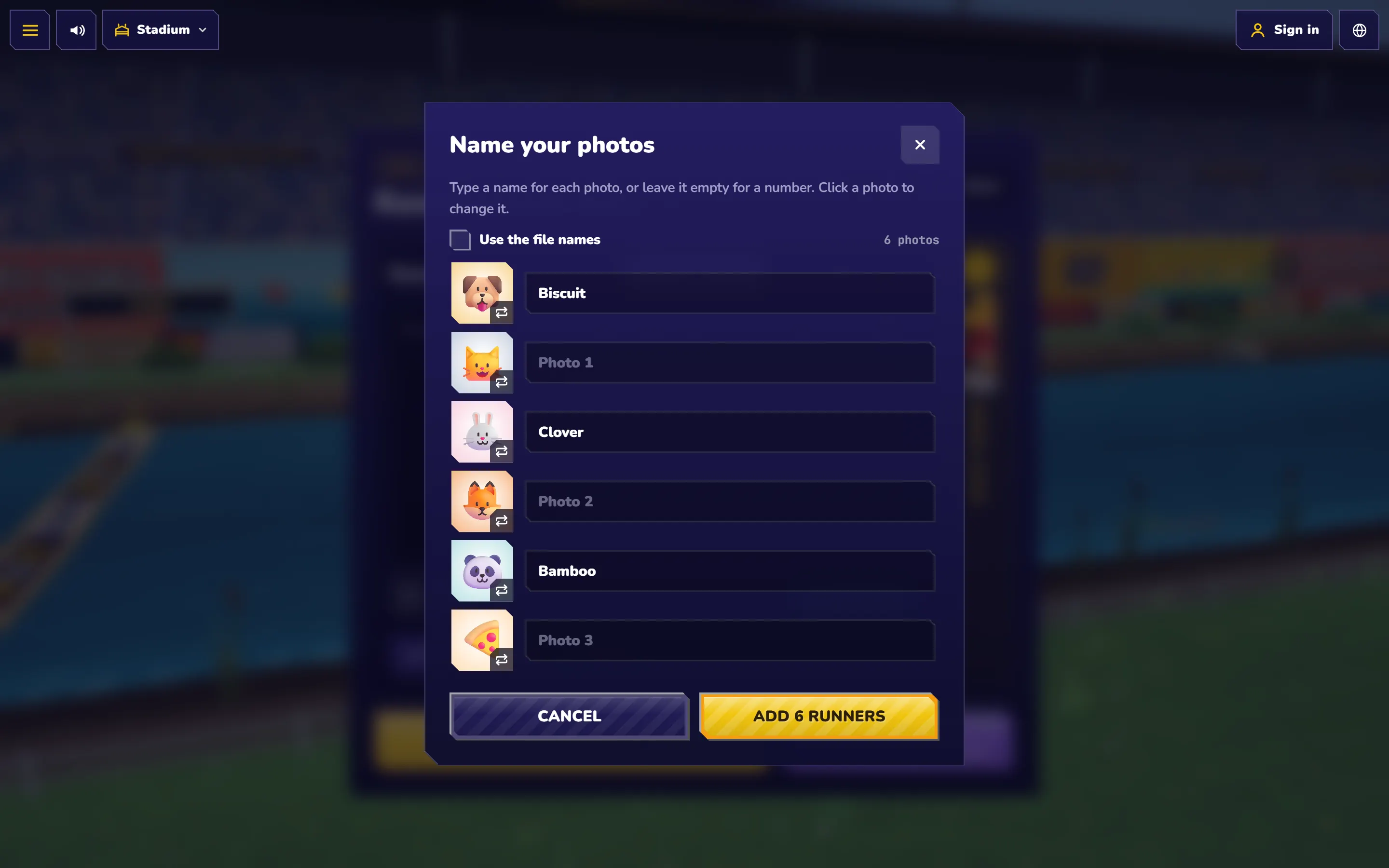
Random Duck Race screenshot, name your photos: Each photo beside a box for its name: leave it empty for a number, tick “Use the file names”, or click a photo to swap it.
Name your photos Each photo beside a box for its name: leave it empty for a number, tick “Use the file names”, or click a photo to swap it.
Random Duck Race screenshot, each name with its photo: In the list of names, each runner shows its photo just after its name.
Each name with its photo In the list of names, each runner shows its photo just after its name.
Random Duck Race screenshot, photos racing: Each photo runs whole on a white card, so a wide logo or a tall poster keeps its shape.
Photos racing Each photo runs whole on a white card, so a wide logo or a tall poster keeps its shape.
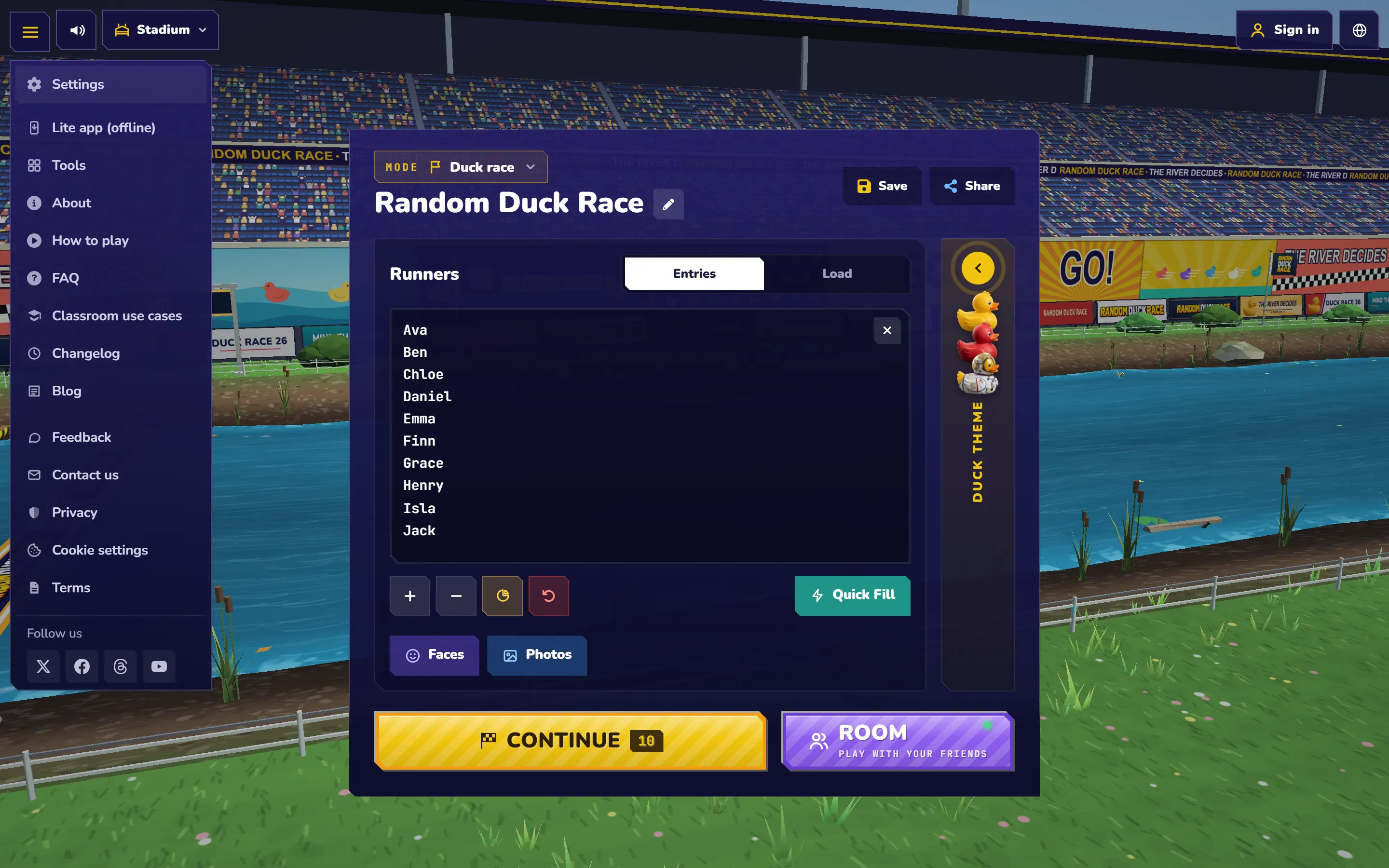
Random Duck Race screenshot, the Lite app in the menu: On randomduckrace.com, open the menu and choose Lite app (offline).
The Lite app in the menu On randomduckrace.com, open the menu and choose Lite app (offline).
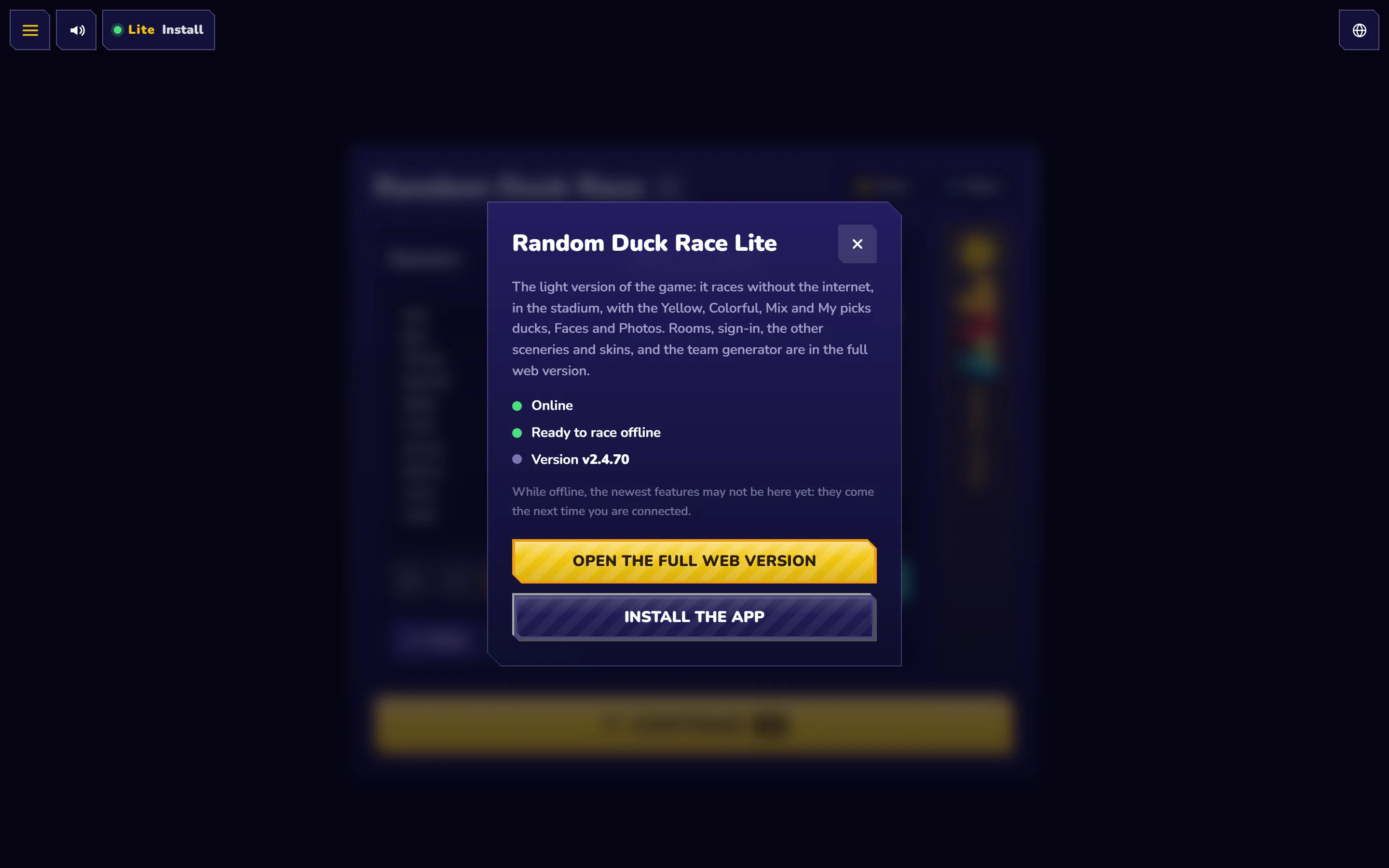
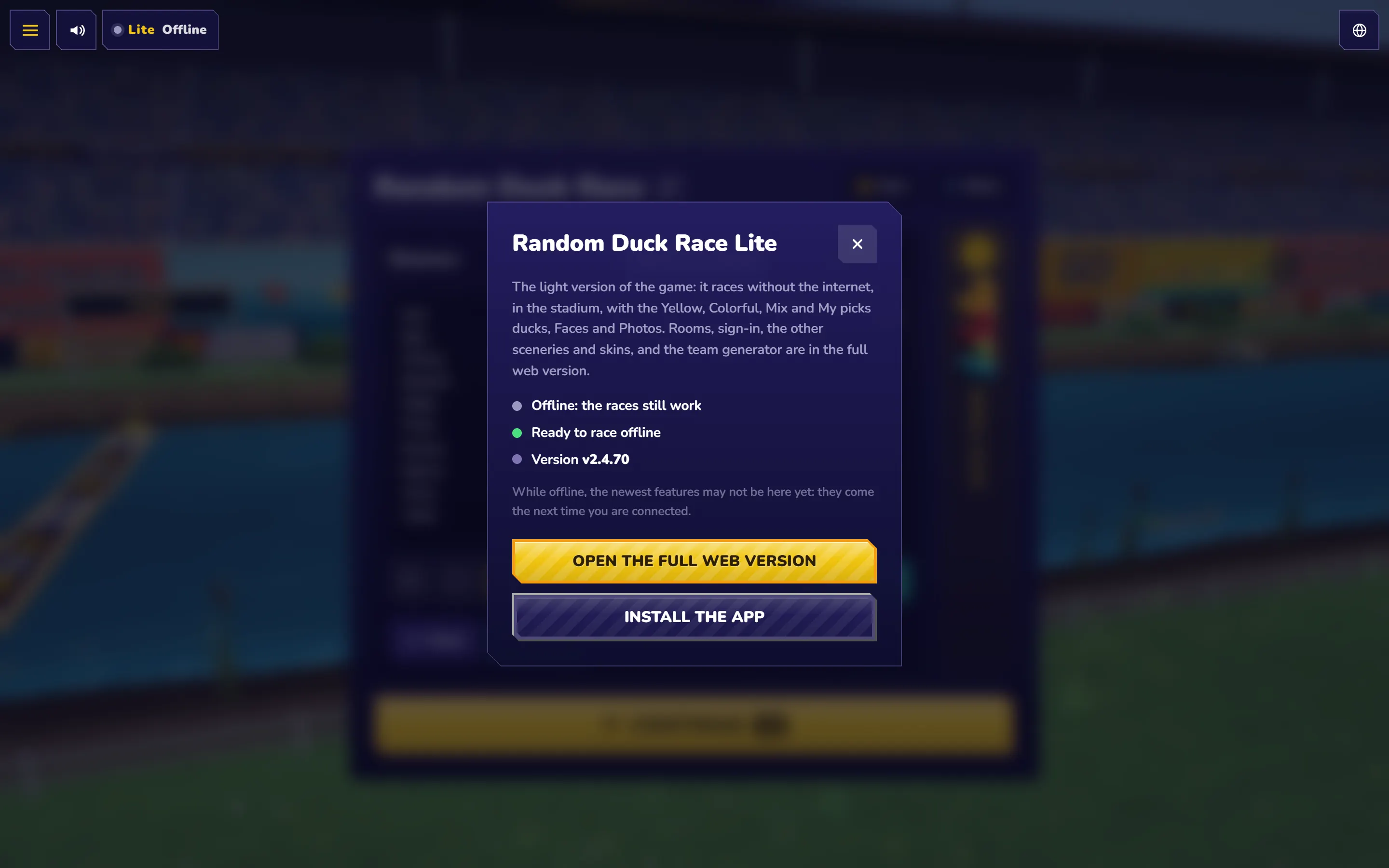
Random Duck Race screenshot, install the app: The Lite button says Install while your browser offers it; its panel installs the app and opens the full web version.
Install the app The Lite button says Install while your browser offers it; its panel installs the app and opens the full web version.
Random Duck Race screenshot, the Lite app: Your names, Duck Theme (Yellow, Colorful, Mix, My picks), Faces and Photos, Save and Share: all of it works offline.
The Lite app Your names, Duck Theme (Yellow, Colorful, Mix, My picks), Faces and Photos, Save and Share: all of it works offline.
Random Duck Race screenshot, offline: With no internet the Lite button says Offline, and the races still run.
Offline With no internet the Lite button says Offline, and the races still run.
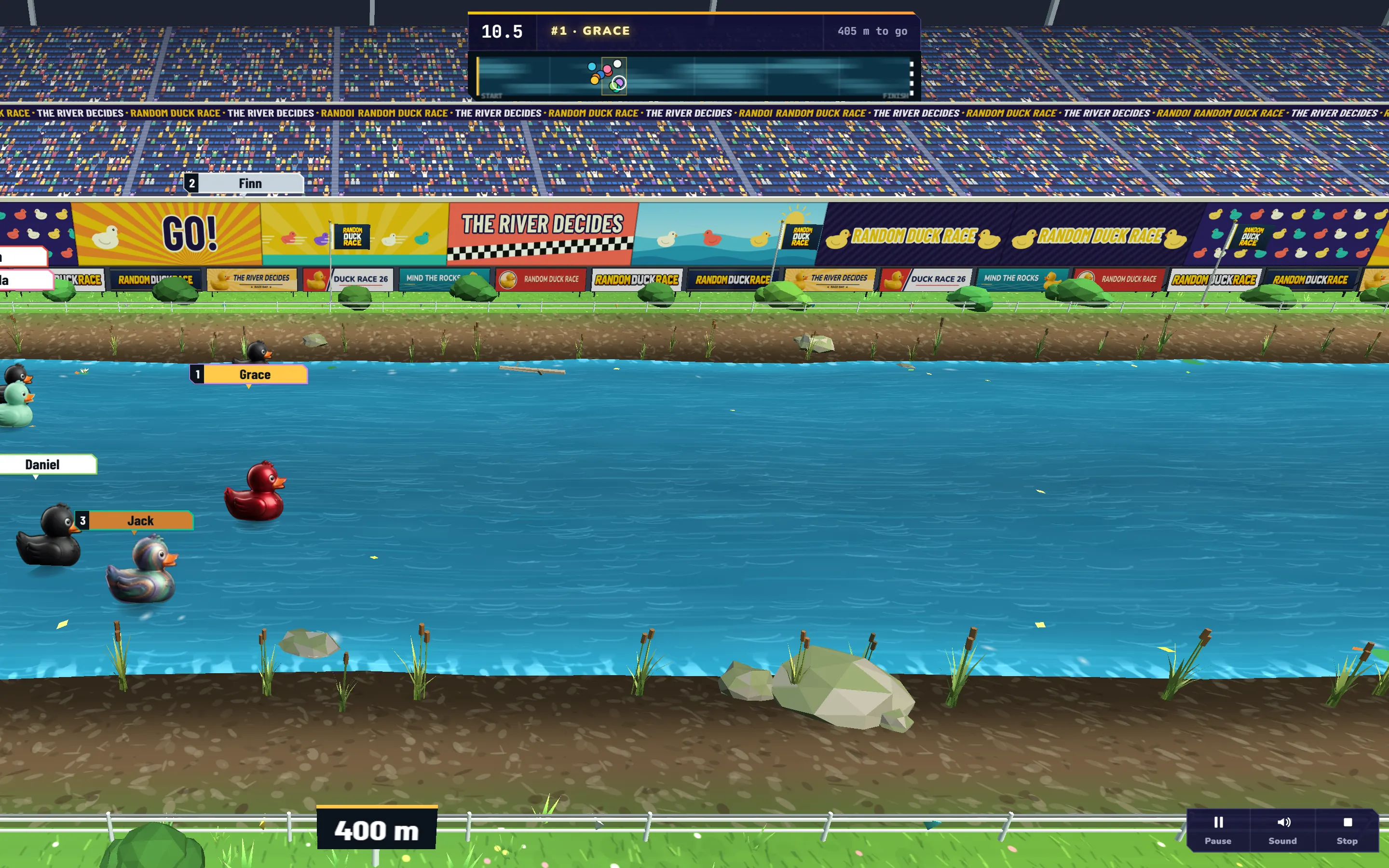
Random Duck Race screenshot, a race without the internet: Colorful ducks racing down the river in the stadium, with the Wi-Fi off.
A race without the internet Colorful ducks racing down the river in the stadium, with the Wi-Fi off.
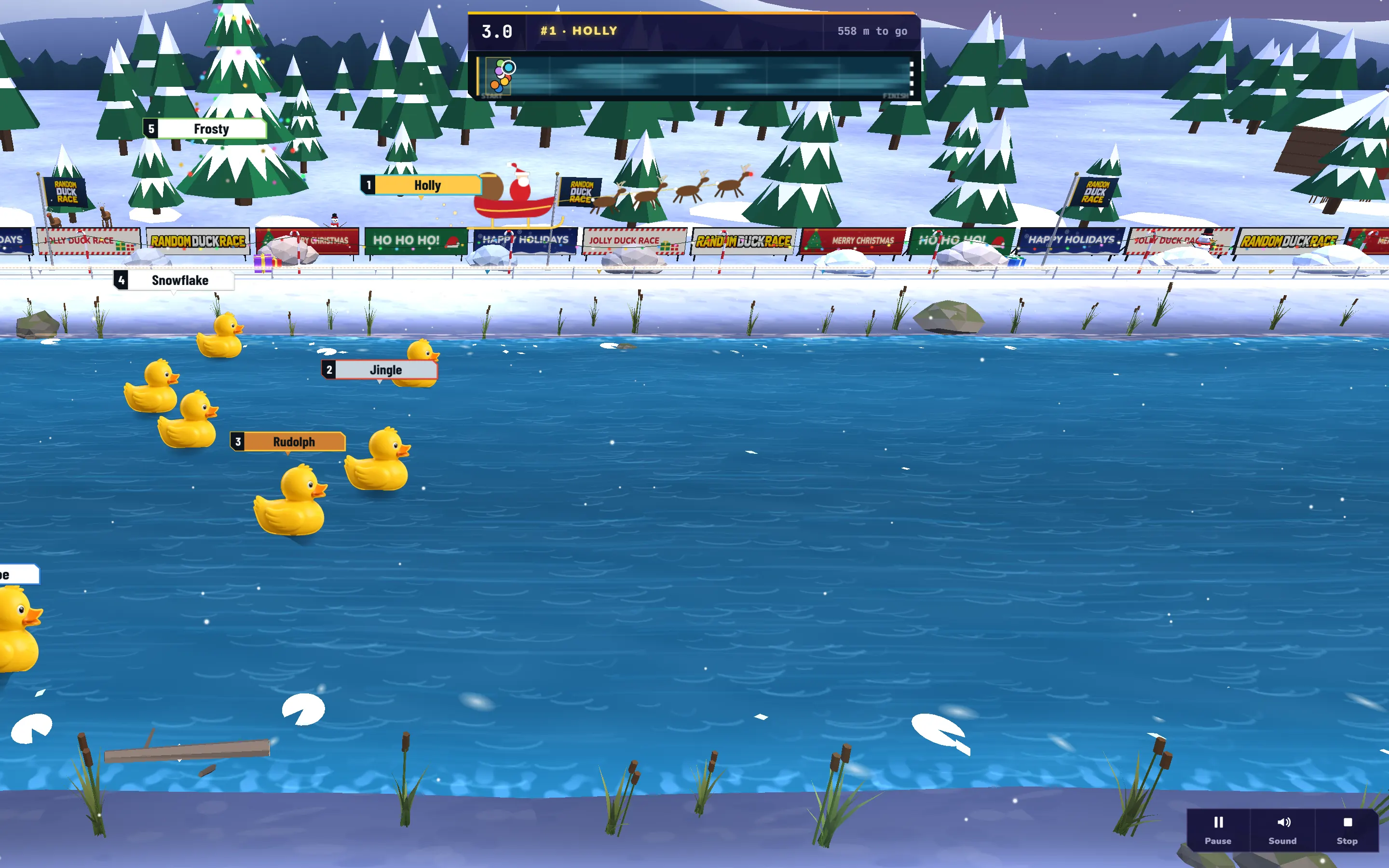
Random Duck Race screenshot, a Christmas race: The Christmas scenery: snowy pines, a tree with twinkling lights, log cabins and Santa’s sleigh across the sky (Settings › Scenery).
A Christmas race The Christmas scenery: snowy pines, a tree with twinkling lights, log cabins and Santa’s sleigh across the sky (Settings › Scenery).
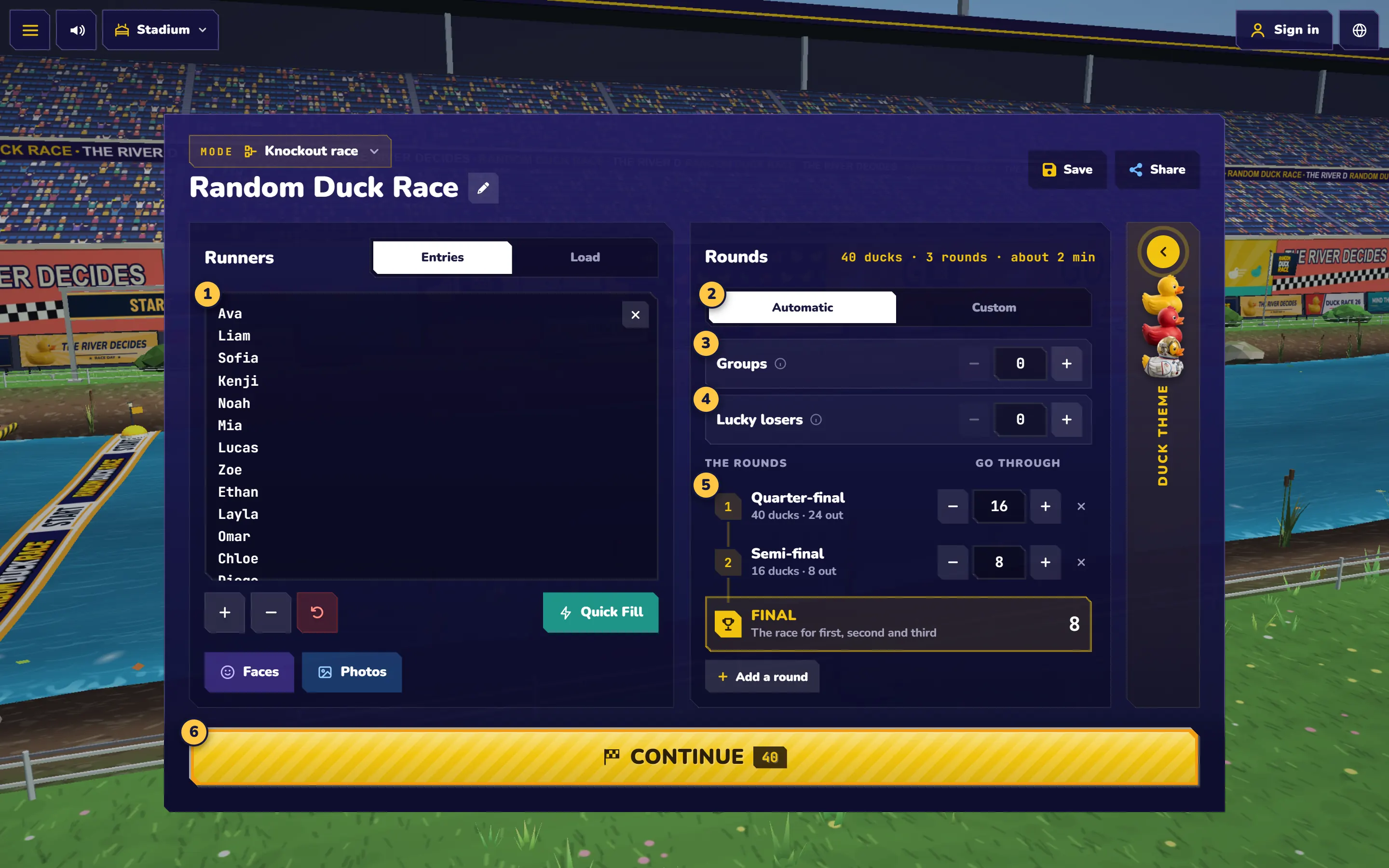
Random Duck Race screenshot, the setup screen: Your names on the left, the plan of the rounds on the right. The numbers match the list below the picture.
The setup screen Your names on the left, the plan of the rounds on the right. The numbers match the list below the picture.
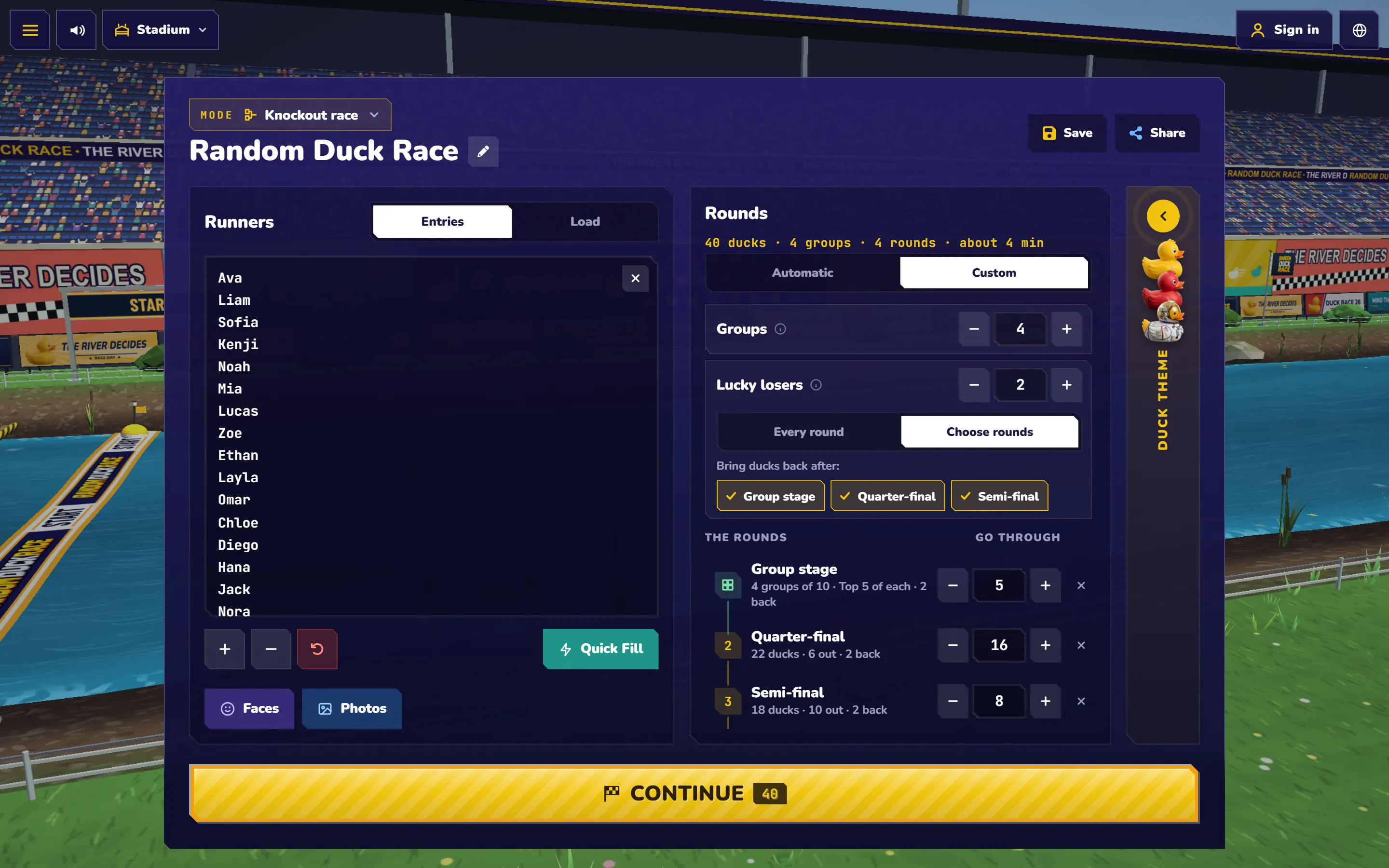
Random Duck Race screenshot, a plan of your own: Four groups, two lucky losers in the rounds you choose, and your own numbers going through.
A plan of your own Four groups, two lucky losers in the rounds you choose, and your own numbers going through.
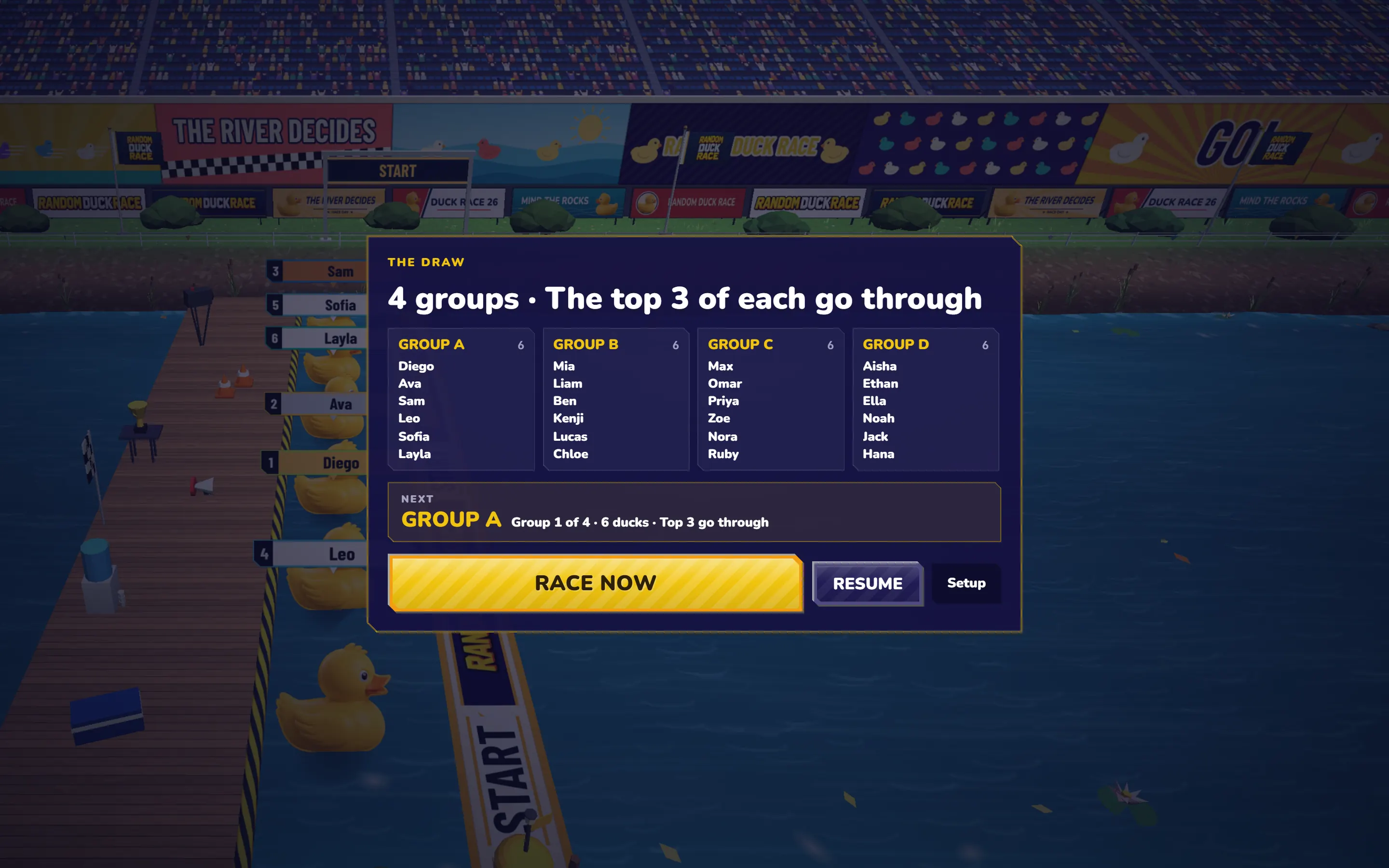
Random Duck Race screenshot, the group draw: Everyone sees who is in which group before the racing starts.
The group draw Everyone sees who is in which group before the racing starts.
Random Duck Race screenshot, a round on the river: The bar at the top shows the round and how many ducks have gone through.
A round on the river The bar at the top shows the round and how many ducks have gone through.
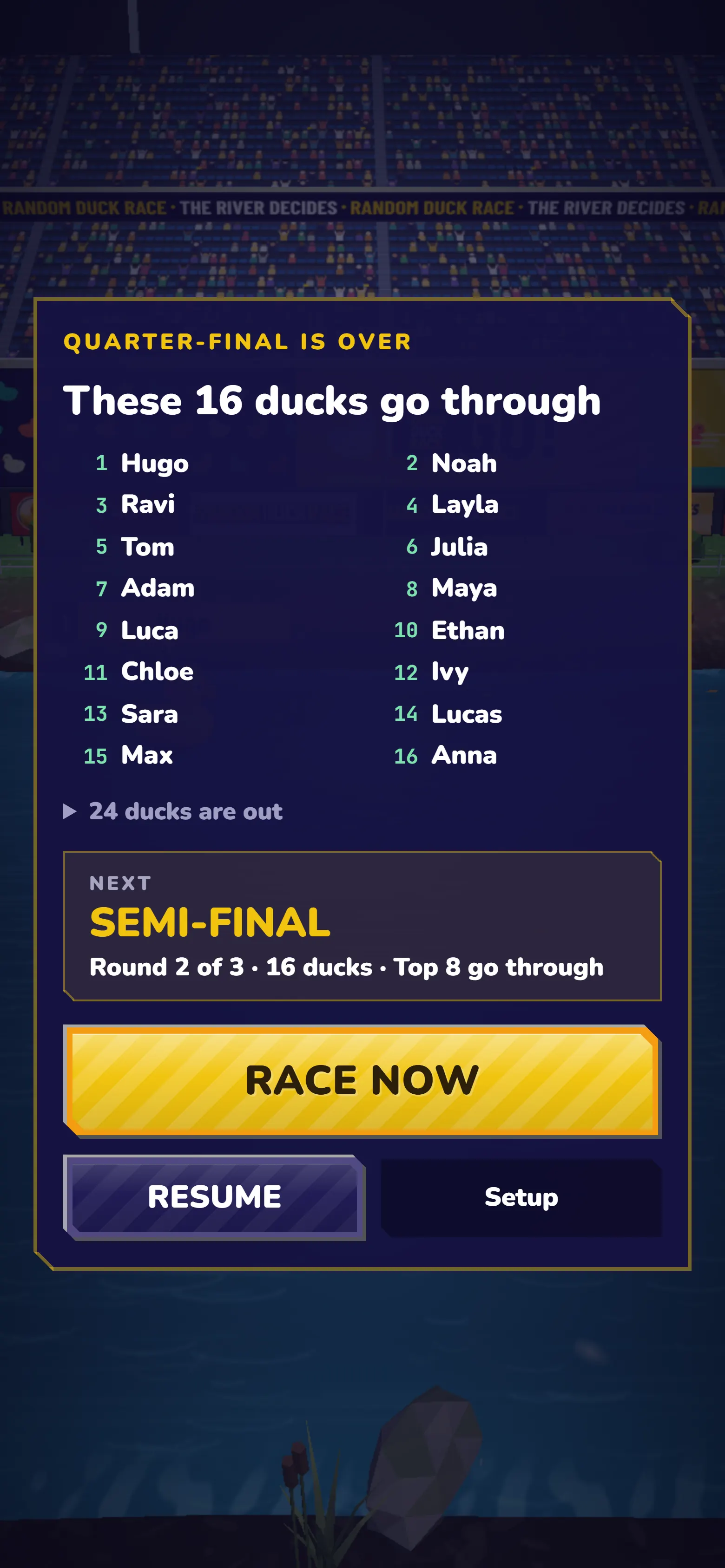
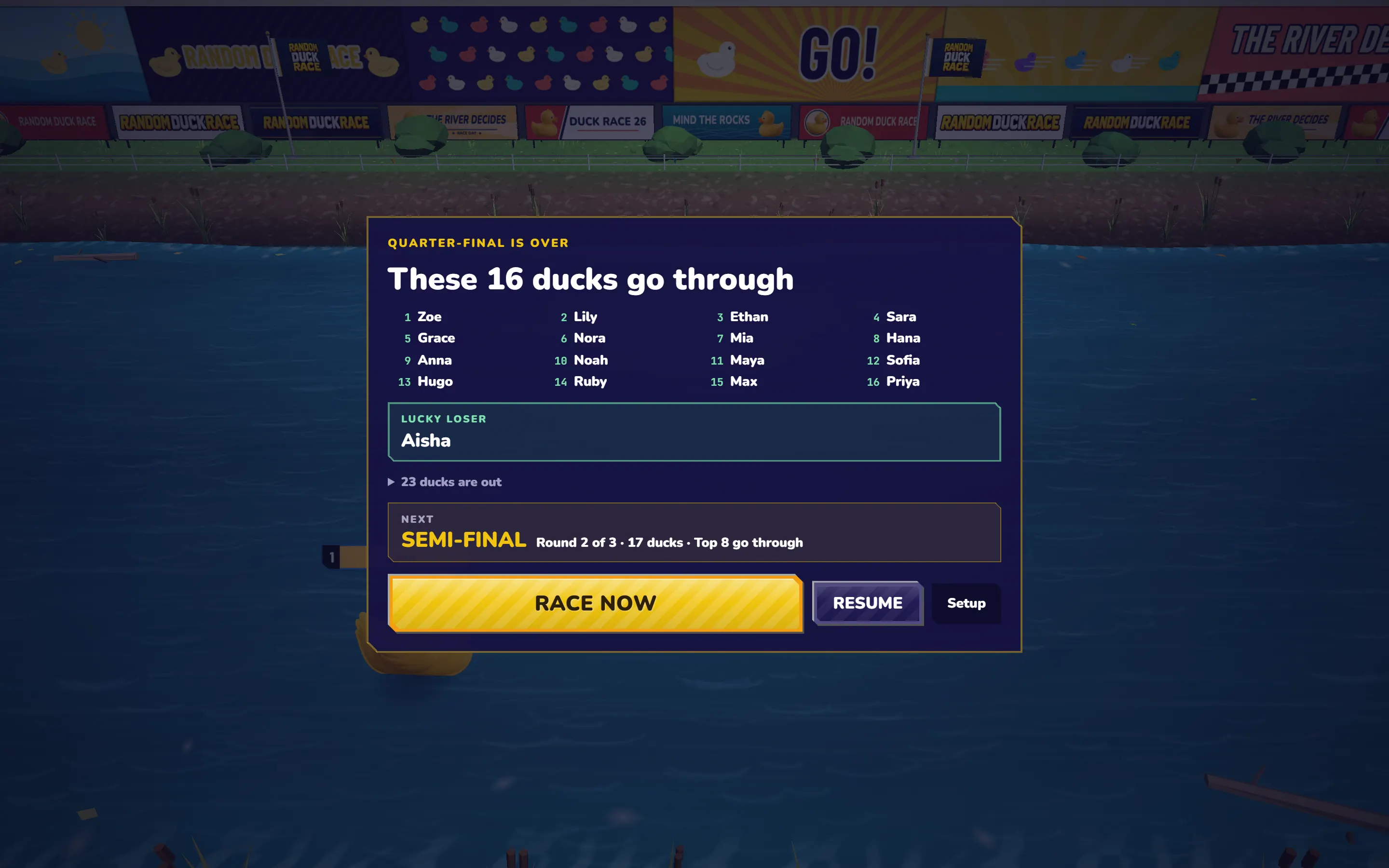
Random Duck Race screenshot, between the rounds: Who went through, the lucky loser, the next round and the countdown.
Between the rounds Who went through, the lucky loser, the next round and the countdown.
Random Duck Race screenshot, the winner: First, second and third of the final.
The winner First, second and third of the final.
Random Duck Race screenshot, the whole ranking: The ducks knocked out follow the finalists, round by round.
The whole ranking The ducks knocked out follow the finalists, round by round.
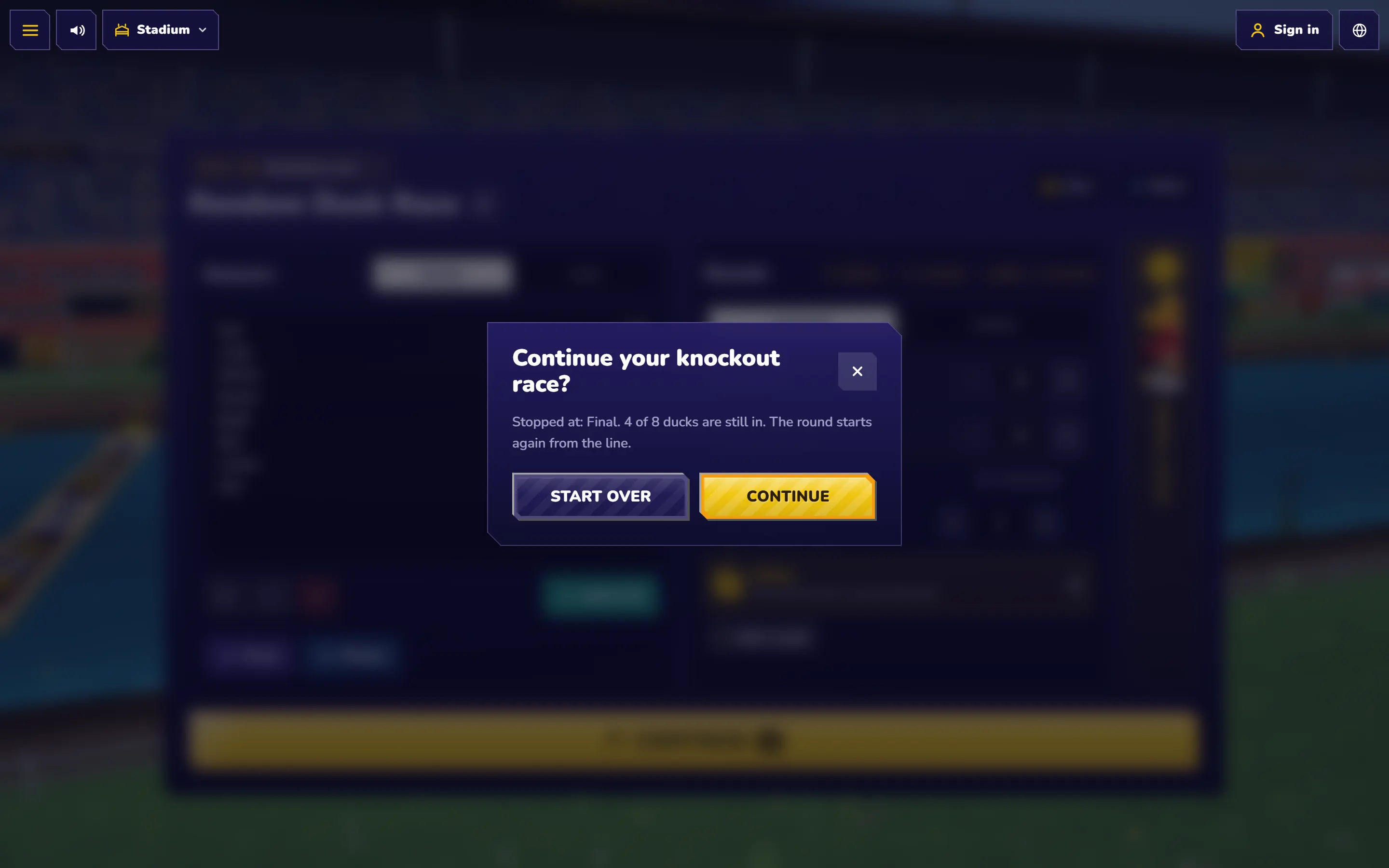
Random Duck Race screenshot, continue: When you open the page again, choose to continue or start over.
Continue When you open the page again, choose to continue or start over.

On the phones
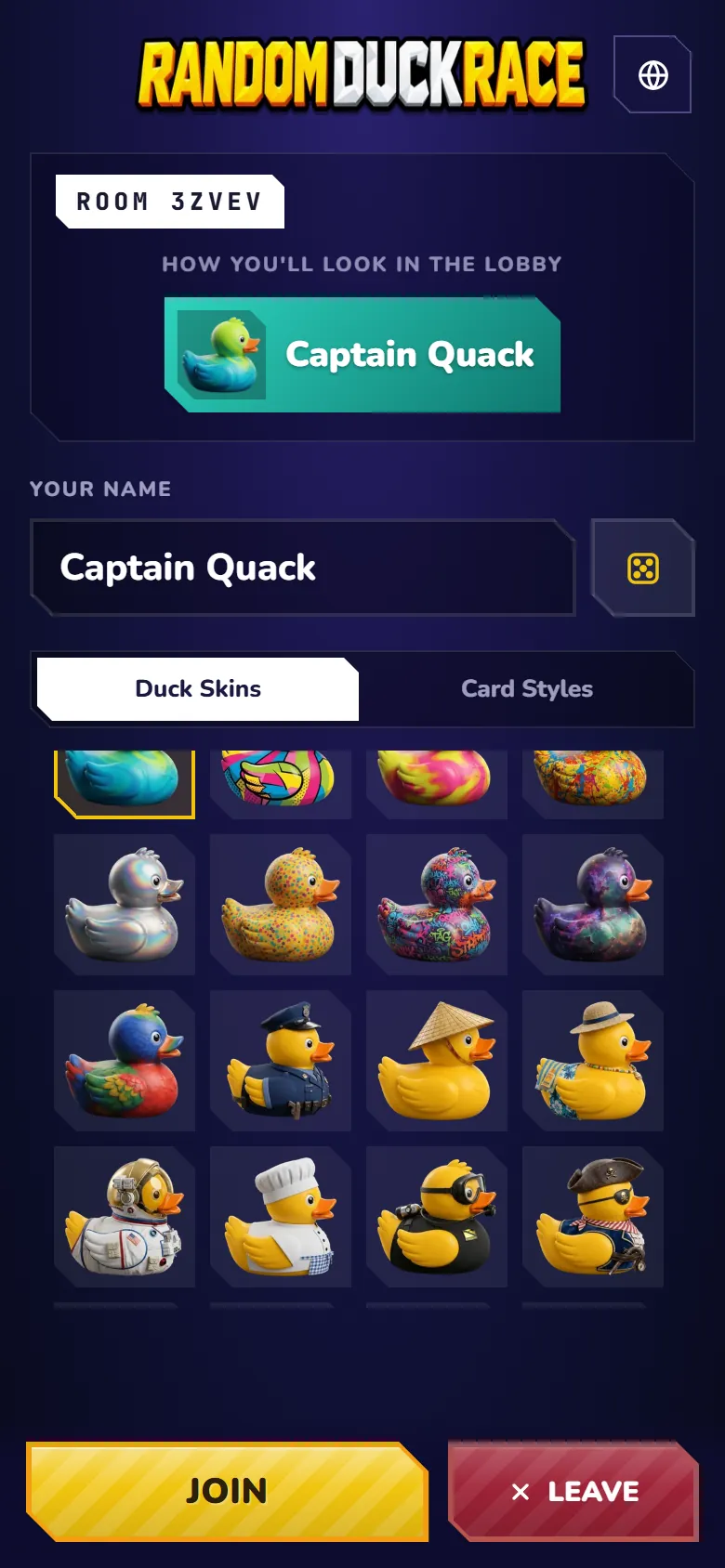
Random Duck Race screenshot, joining on a phone: A player picks a name, a duck and a card style before joining the room.
Joining on a phone A player picks a name, a duck and a card style before joining the room.
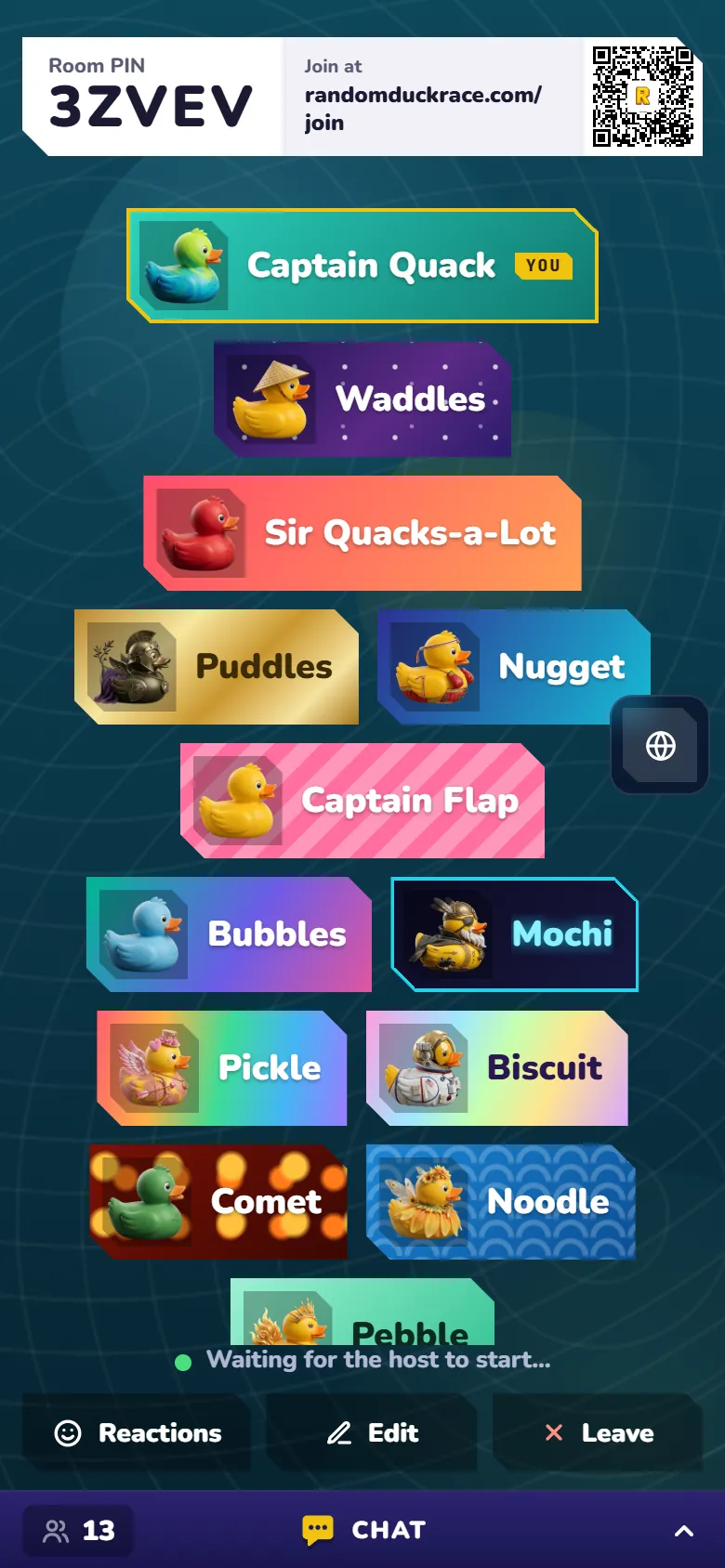
Random Duck Race screenshot, the lobby on a phone: Each player sees the whole room on their own phone, and cheers with reactions.
The lobby on a phone Each player sees the whole room on their own phone, and cheers with reactions.
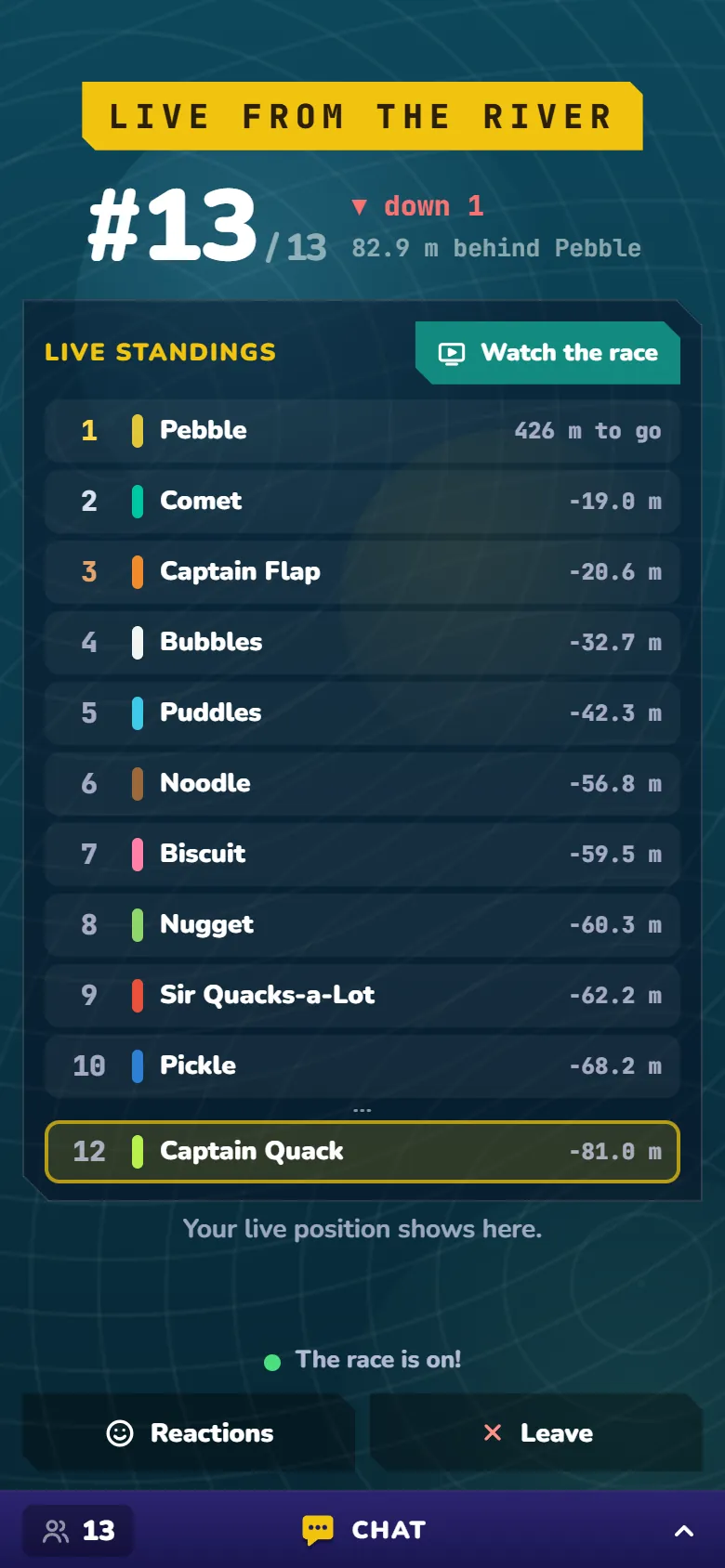
Random Duck Race screenshot, live on a phone: During the race, every phone shows its own duck’s place and the live standings.
Live on a phone During the race, every phone shows its own duck’s place and the live standings.
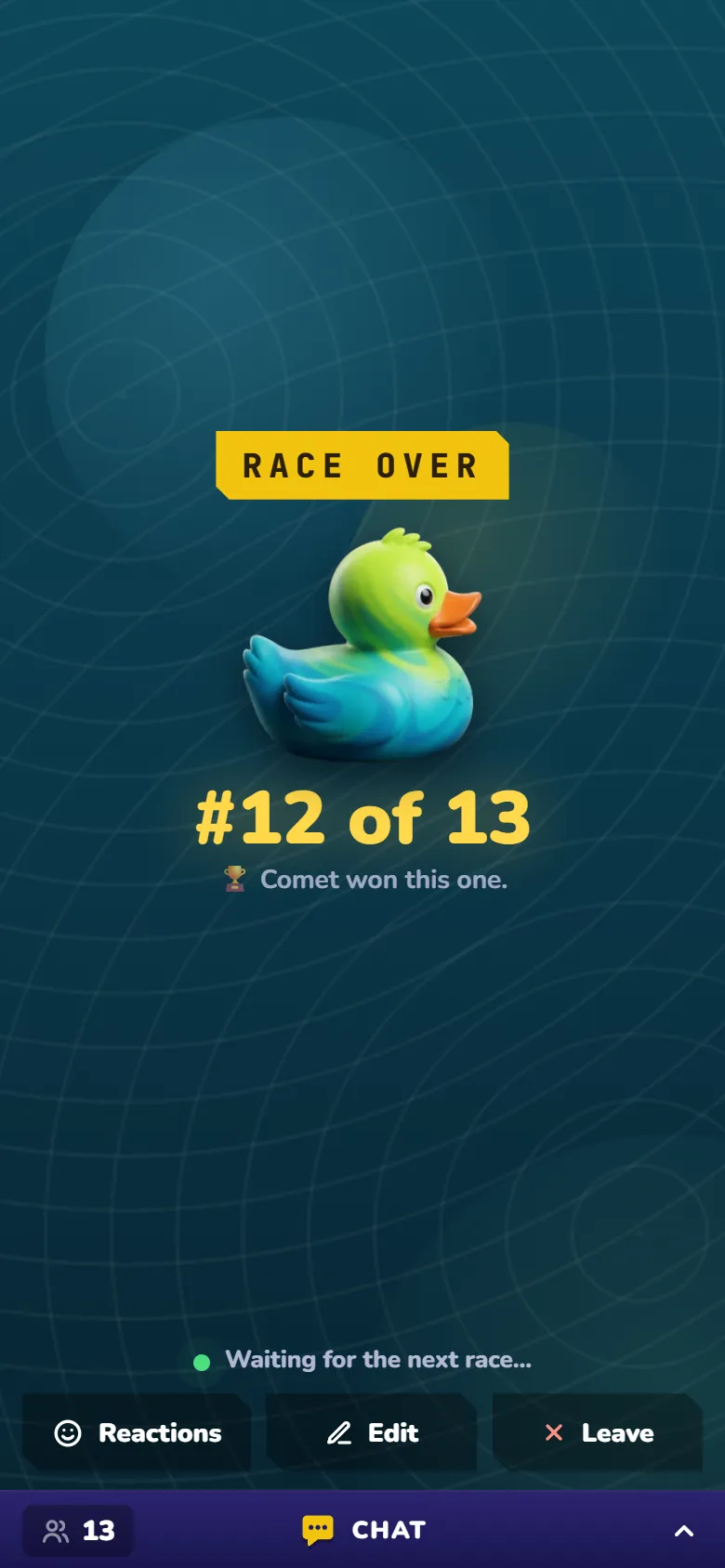
Random Duck Race screenshot, the result on a phone: When the race ends, each player sees where their duck finished.
The result on a phone When the race ends, each player sees where their duck finished.
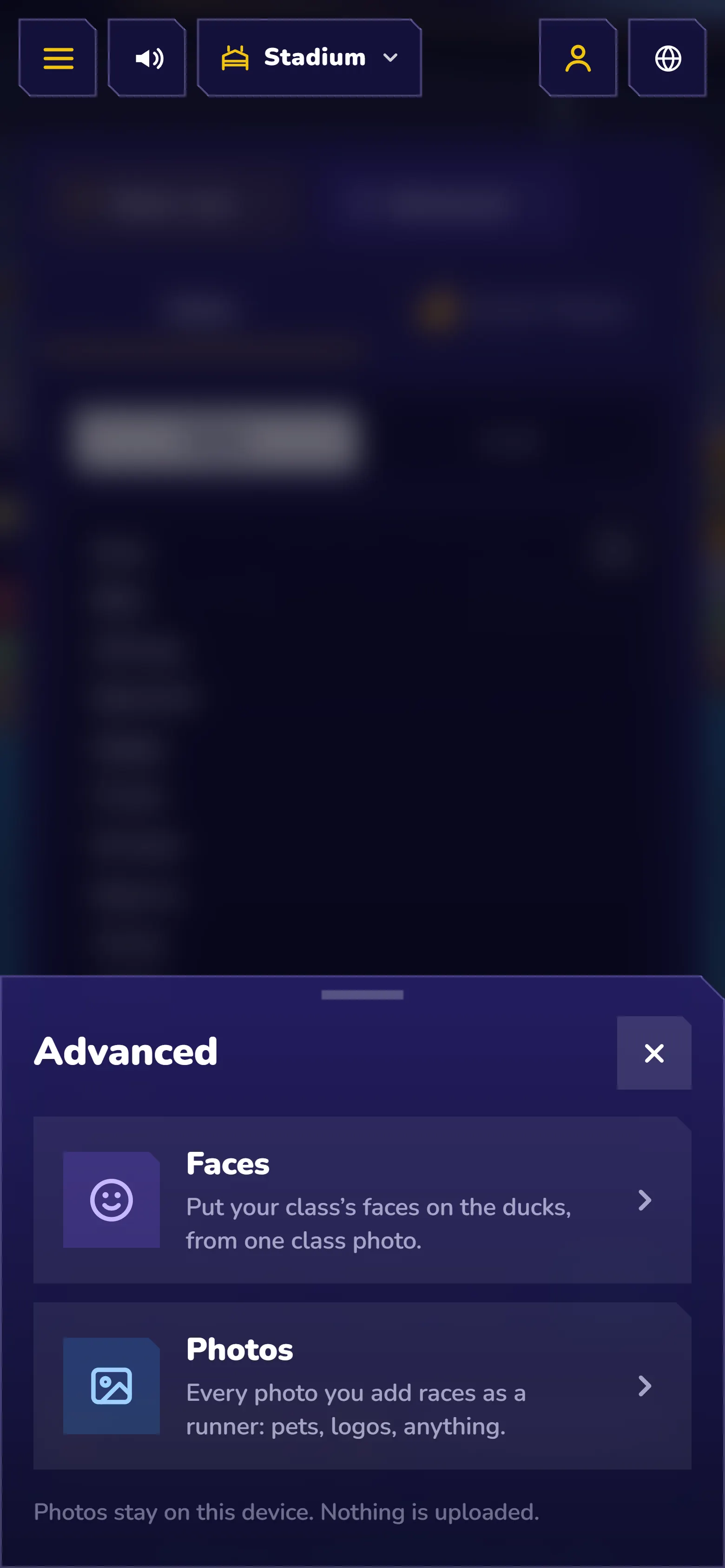
Random Duck Race screenshot, faces and Photos on a phone: On a phone, Faces and Photos are under Advanced, beside the mode.
Faces and Photos on a phone On a phone, Faces and Photos are under Advanced, beside the mode.
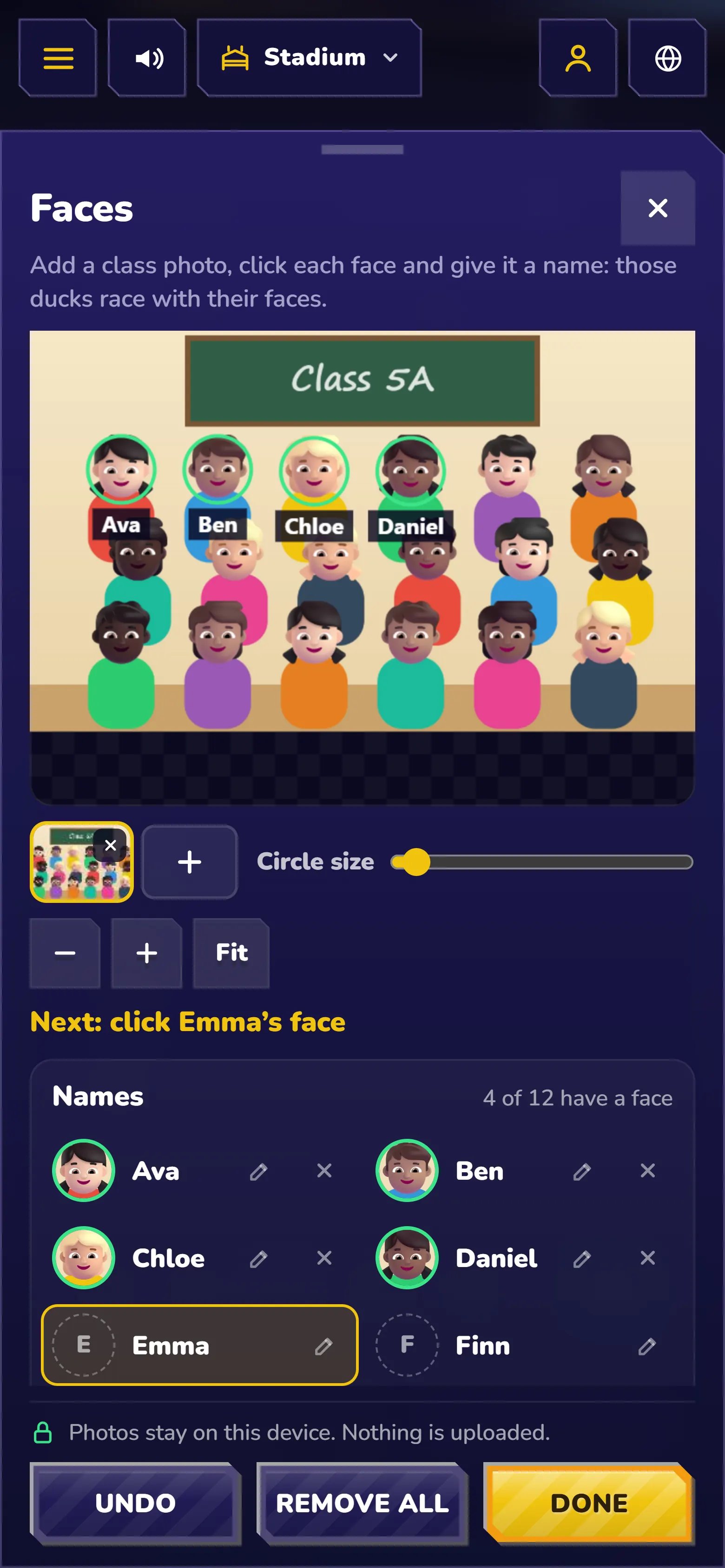
Random Duck Race screenshot, taking faces on a phone: Tap each face; pinch to zoom and drag to move around the photo.
Taking faces on a phone Tap each face; pinch to zoom and drag to move around the photo.
Random Duck Race screenshot, the Lite app on a phone: Added to the home screen, it opens full screen, like any other app.
The Lite app on a phone Added to the home screen, it opens full screen, like any other app.
Random Duck Race screenshot, on a phone: The screen between the rounds on a phone.
On a phone The screen between the rounds on a phone.

Want to see it move?

A picture shows a moment; the race is better live. Start a duck race with your own names, read how to play step by step, or meet every duck in the duck gallery.

Keep reading

All posts