
A random student picker your class will cheer for
Paste the class list once, race it whenever you need a name, and let the river decide who answers next — no favourites, no groans, set up in a minute.
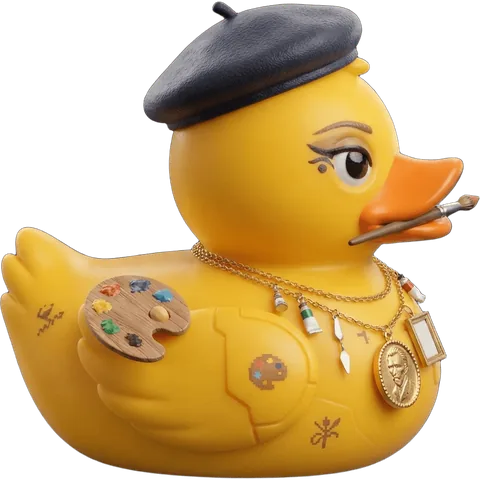
“Who wants to answer?” — and the same three hands go up. Calling on students at random keeps the whole class thinking, but picking a name yourself always looks like picking. A random student picker takes you out of it, and a duck race makes it the moment of the lesson everyone waits for: every student is a duck, the whole class watches the river, and the winner answers the next question.
In Vietnam teachers call it đua vịt trả bài — a duck race to decide who recites the lesson — and it works the same in any classroom: review at the start of a lesson, quick oral checks, presentation order, or who reads aloud next.
Set it up in one minute
- Open Random Duck Race on the classroom computer, projector or smart board. No account, no download.
- Paste your class list, one name per line — or import it from a CSV or Excel file with the Load tab. Up to 1,000 names.
- Save the list with the Save button, so next lesson it is one click away. Save one list per class.
- Press Continue, then Start. The ducks race down the river and the winner’s name fills the screen. That student answers.
Next question? Press Remove winner on the winner’s screen and race again with everyone else, so nobody is called twice before the whole class has had a turn.
Ways to use it in a lesson
- Who answers next: one race per question. Remove each winner to work through the whole class.
- The speaking order: one race gives everyone a place — the finishing order is the order of the presentations, the readings or the board work.
- A quick review game: number your questions, and each student answers the question that matches their place.
- Teams and pairs: deal the finishing order into groups (see the random team generator).
- The last duck home does the job nobody wants — or turn on First across the line loses in Settings for a twist.
- Rewards: the winner of the end-of-week race chooses the class song or gets a sticker.
Ten more ideas from teachers are in 10 creative ways to use Random Duck Race in your classroom.
Why a race works better than a wheel
- Everyone watches: a race takes about half a minute, the lead changes, and the class cheers for their own duck — attention comes back to the lesson with it.
- It is visibly fair: the lanes are drawn at random and every duck has the same chance. The fairness test runs thousands of races in your browser to prove it.
- It gives a full order, not just one name — so one race can plan the whole lesson.
- Students can join from their phones: open a room, they scan the QR code, pick a duck and watch it race on their own screen.
- It speaks your class’s language: the whole game is in 16 languages.
Tips from the classroom
- Shorter race, more questions: set a short course in Settings › The race when you need many names in one lesson.
- Turn the sound on: the commentary and the crowd do half the work of getting the class’s attention.
- Agree the rule before the start — winner answers, or last place answers — so nobody argues after.
- Pick a scenery to match the season: the stadium, the countryside, or Halloween in October.
Questions
Is the random student picker free?
Yes — free, with no sign-up for you or your students, and up to 1,000 names per race.
Are my students’ names sent anywhere?
No. Your lists stay in your own browser; they are never sent to us. Only if you open a room do the players’ chosen names travel to the room while it runs, and the room deletes itself afterwards (see our privacy policy).
Does it work on an interactive whiteboard or a TV?
Yes. It runs in any modern browser, so a smart board, a projector or a smart TV with a browser all work. Press F11 (or your browser’s full-screen mode) for the best view from the back of the room.
Can I make sure every student gets a turn?
Yes: press Remove winner after each race and race again. The list shrinks until everyone has had a turn; load your saved class list to start again with everyone.
Keep reading
All posts Classroom
10 Creative Ways to Use Random Duck Race in Your Classroom
From picking a student and forming random groups to “Duck of the Day” and vocabulary races: ten tried-and-tested ideas for the classroom.
Classroom
10 Creative Ways to Use Random Duck Race in Your Classroom
From picking a student and forming random groups to “Duck of the Day” and vocabulary races: ten tried-and-tested ideas for the classroom.
 Teams & work
Random Team Generator: Split Any Group into Fair Teams
Race the whole group once, then deal the finishing order into teams, pairs or captains. Three methods, step by step.
Teams & work
Random Team Generator: Split Any Group into Fair Teams
Race the whole group once, then deal the finishing order into teams, pairs or captains. Three methods, step by step.
 Compare
The Online Stopwatch Alternative for Name Races
Race games on a timer site and a full 3D duck race side by side: the finishing order, rooms for the whole class, and moving your lists over.
Compare
The Online Stopwatch Alternative for Name Races
Race games on a timer site and a full 3D duck race side by side: the finishing order, rooms for the whole class, and moving your lists over.