
An online lucky draw for your company party
Every guest is a duck, every prize a real race on the big screen, and every draw goes on a public record the whole room can check.
Every year-end party has the same moment: the lights go down, someone reads the prizes from a sheet of paper, and a hand goes into a box of names. A lucky draw on Random Duck Race turns that moment into a show on the big screen: every guest is a duck, every prize is a real 3D race, and the winner is revealed under a spotlight.
It is also the only online lucky draw that keeps a public record of every draw. Each one is written to our server the moment you press Draw, before anyone knows who wins, so your staff can check the results on their phones and nobody has to take the organiser’s word for it.
This guide walks you through a whole event, from the staff list to the last prize. It is free, it works in any browser, and it takes about ten minutes to set up.
Quick start
- Open the lucky draw, sign in, and give your event a name and a logo.
- Pick a template (Year-end party, Four prizes or One prize) and edit the prizes.
- Paste your list of people, or press Try a demo list to see it work first.
- Share the link or QR code, then press Start the lucky draw on the venue’s laptop.
Step 1: Create your event
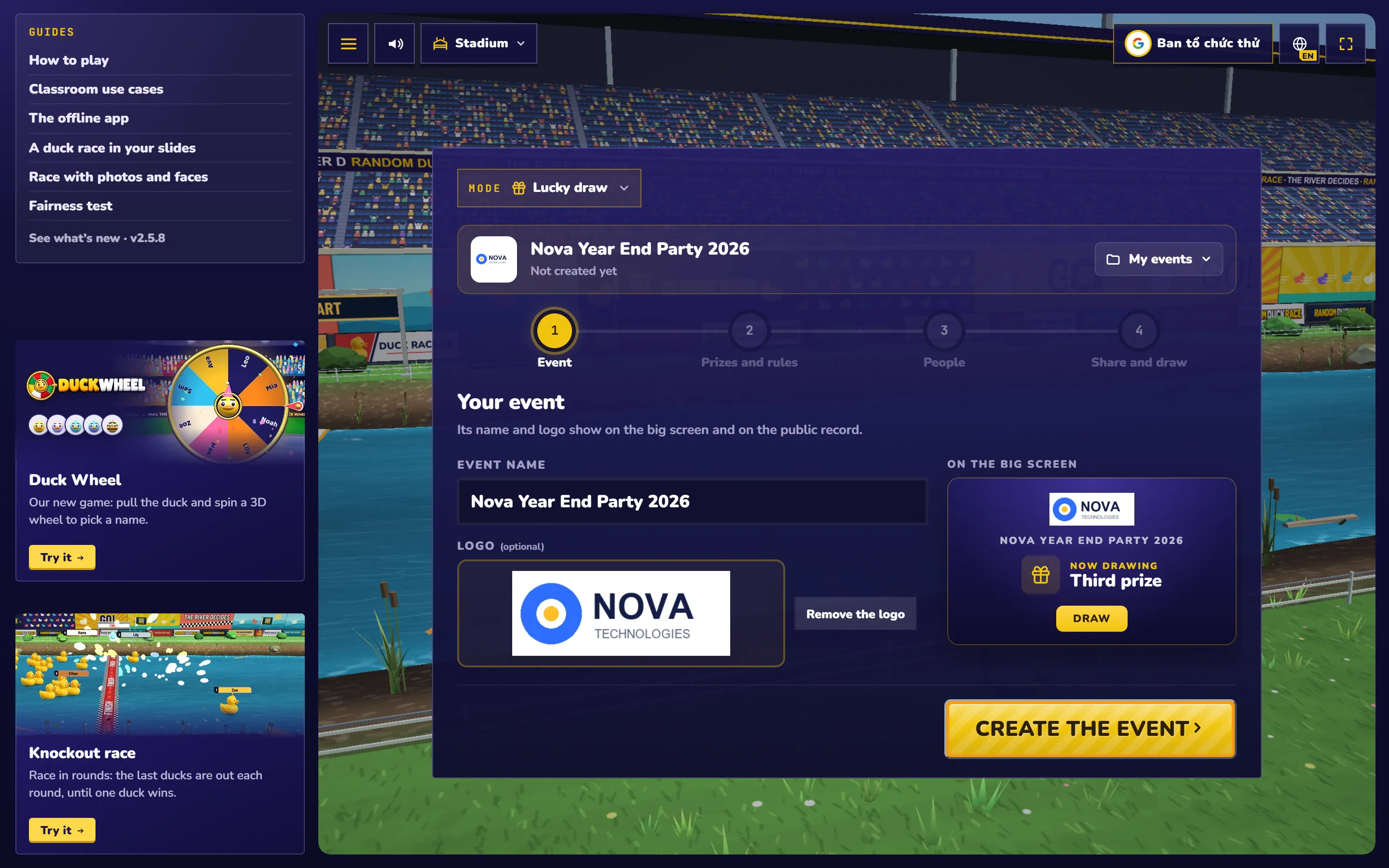
Sign in so your event is kept on your account: you can prepare it at the office and run it from the laptop at the venue. Type the event’s name and drop in your company logo. The preview on the right shows exactly how it will look on the projector.
Step 2: Set the rules and the prizes
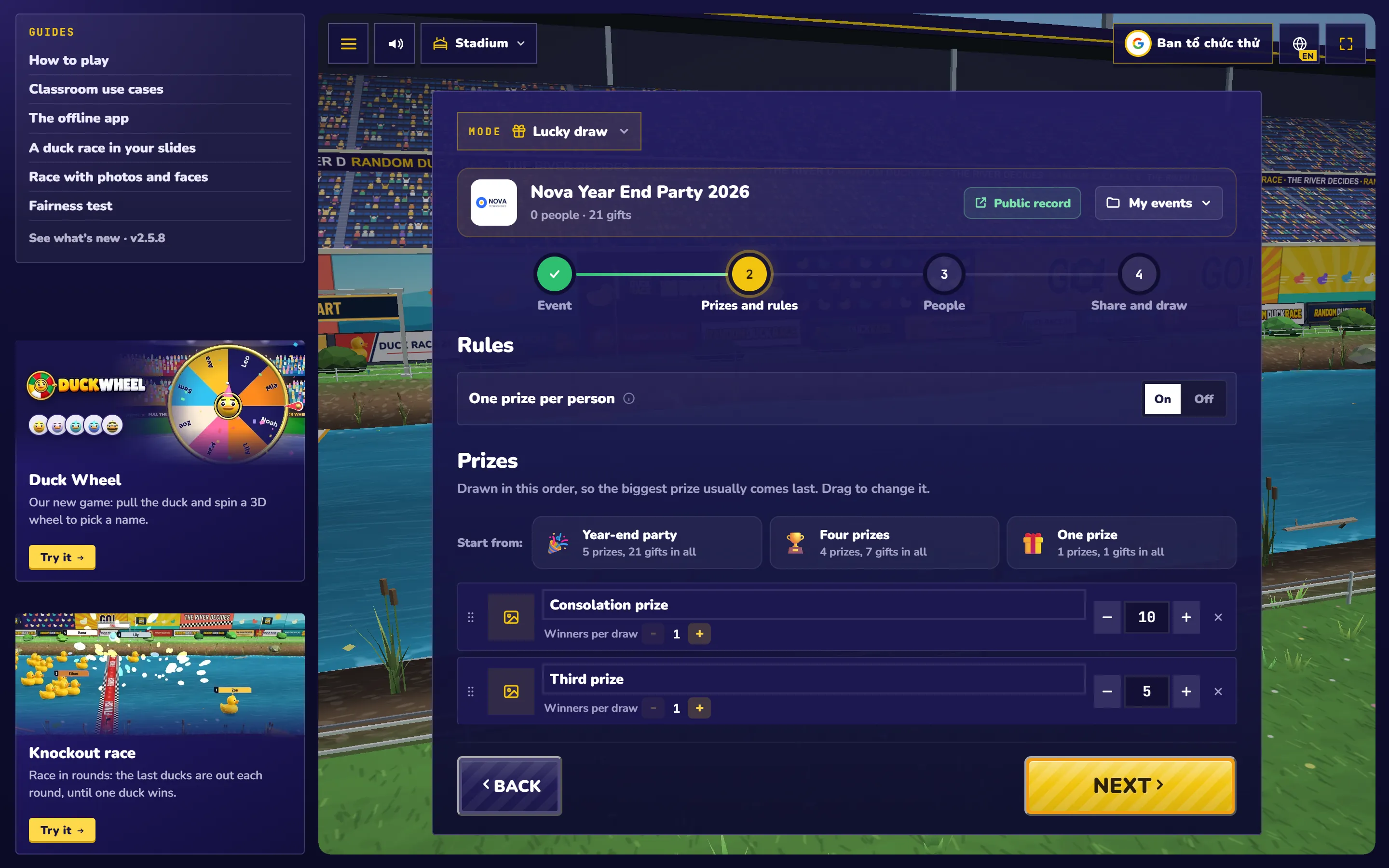
Start with the rule that matters most at a company party: one prize per person. With it on, whoever wins leaves the draw, so no one goes home with two prizes. Then add your prizes in the order you want to draw them, usually the smallest first and the grand prize last.
- A picture for each prize: a phone, a TV, a travel voucher. It appears on the big screen while the ducks race for it.
- How many: five consolation prizes, three third prizes, one grand prize.
- Winners per draw: give away five consolation prizes in one race instead of five, to keep the evening moving.
Step 3: Add the people
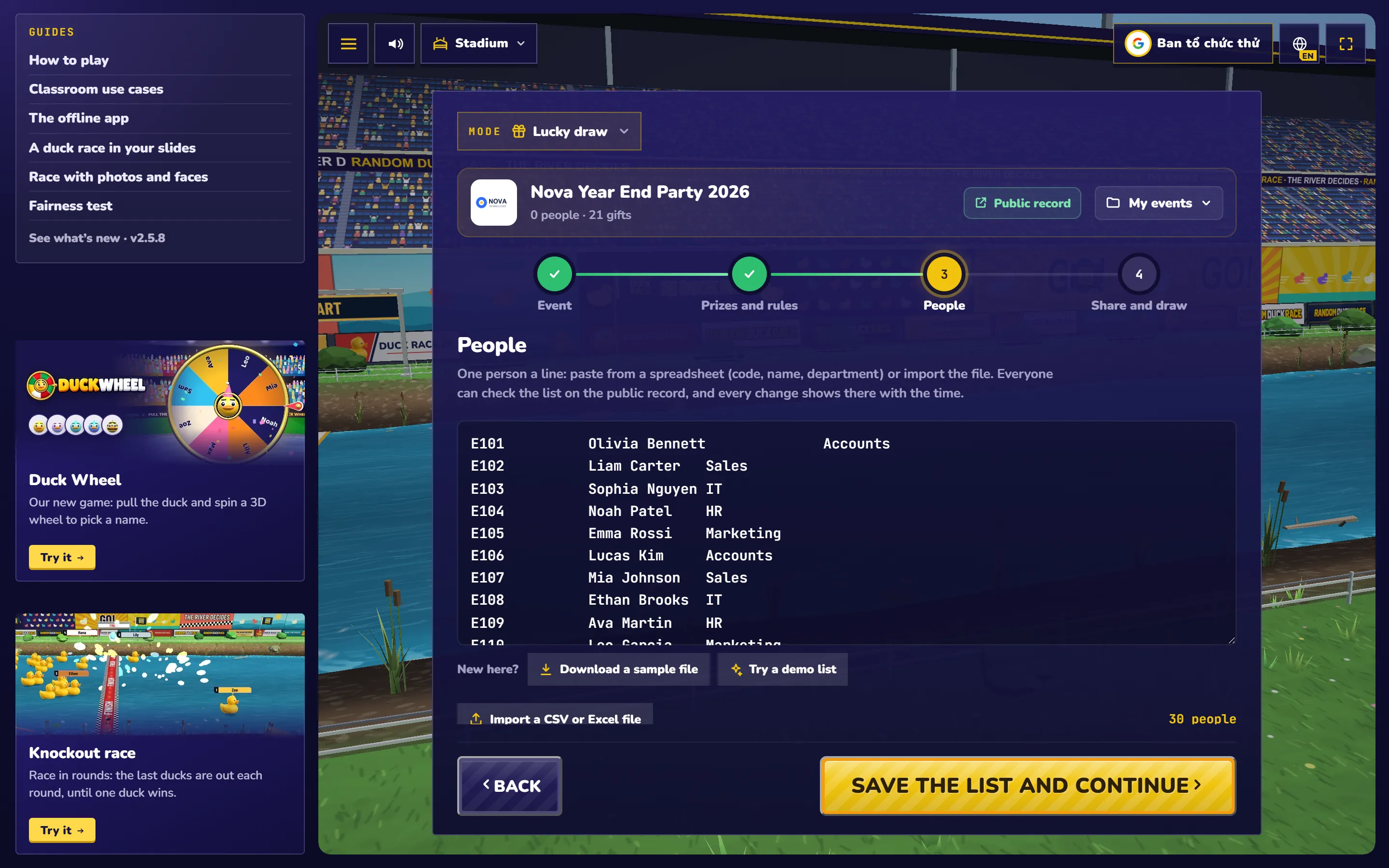
Paste your staff list straight from Excel or Google Sheets, one person a line: code, name and department. You can also import a CSV or Excel file, or download our sample file and fill it in. Up to 1,000 people.
The list is saved to the public record, so every guest can check their name is on it before the party. If someone is missing, add them later: every change shows on the record with the time.
Step 4: Share the public record
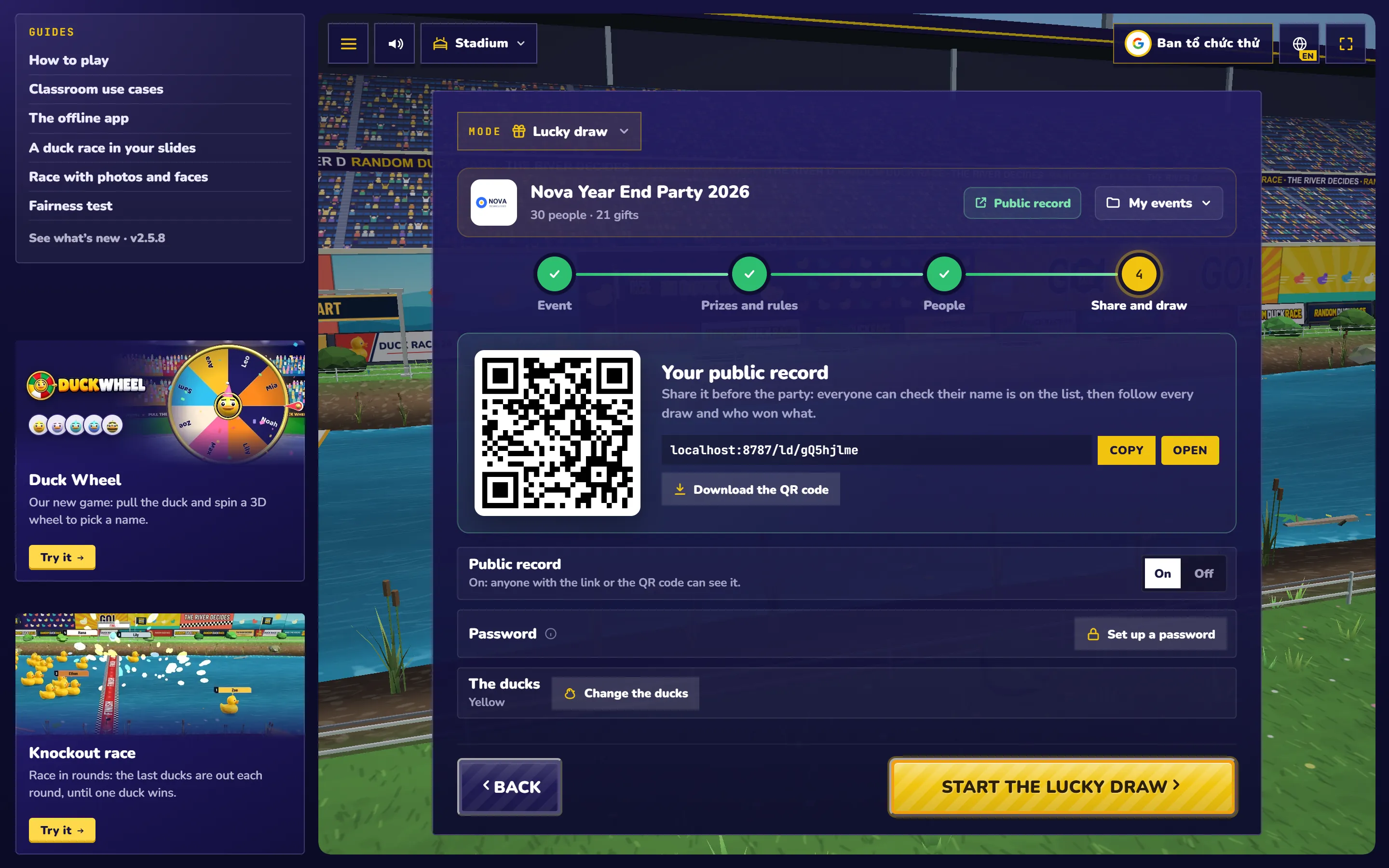
Your event now has its own page with a short link and a QR code. Send the link in your company chat, print the QR code on the tables, or show it on the screen before the draw starts.
- Password (optional): keep the staff list among your guests. They type it once on their phone.
- Public record on or off: turn it off and the link only says the results are private.
- The ducks: pick a duck theme for the evening. The race itself runs in the stadium, our lightest and smoothest scenery.
Step 5: Run the draw on the big screen
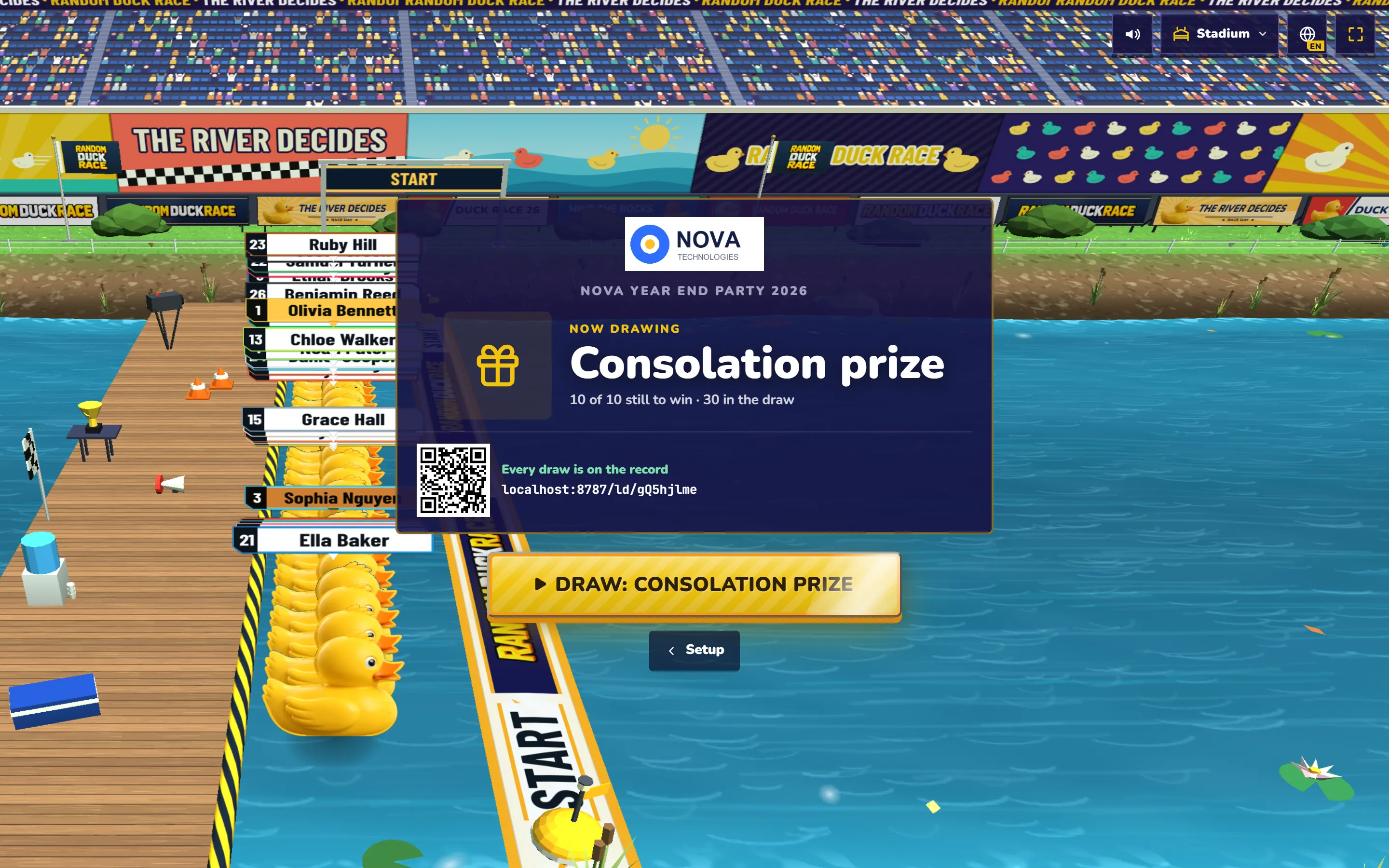
Press Start the lucky draw: the screen goes full, the ads disappear, and the start line shows the prize about to be drawn with the QR code for the record. Press Draw (or the space bar) and the ducks race to the line while the suspense music builds.
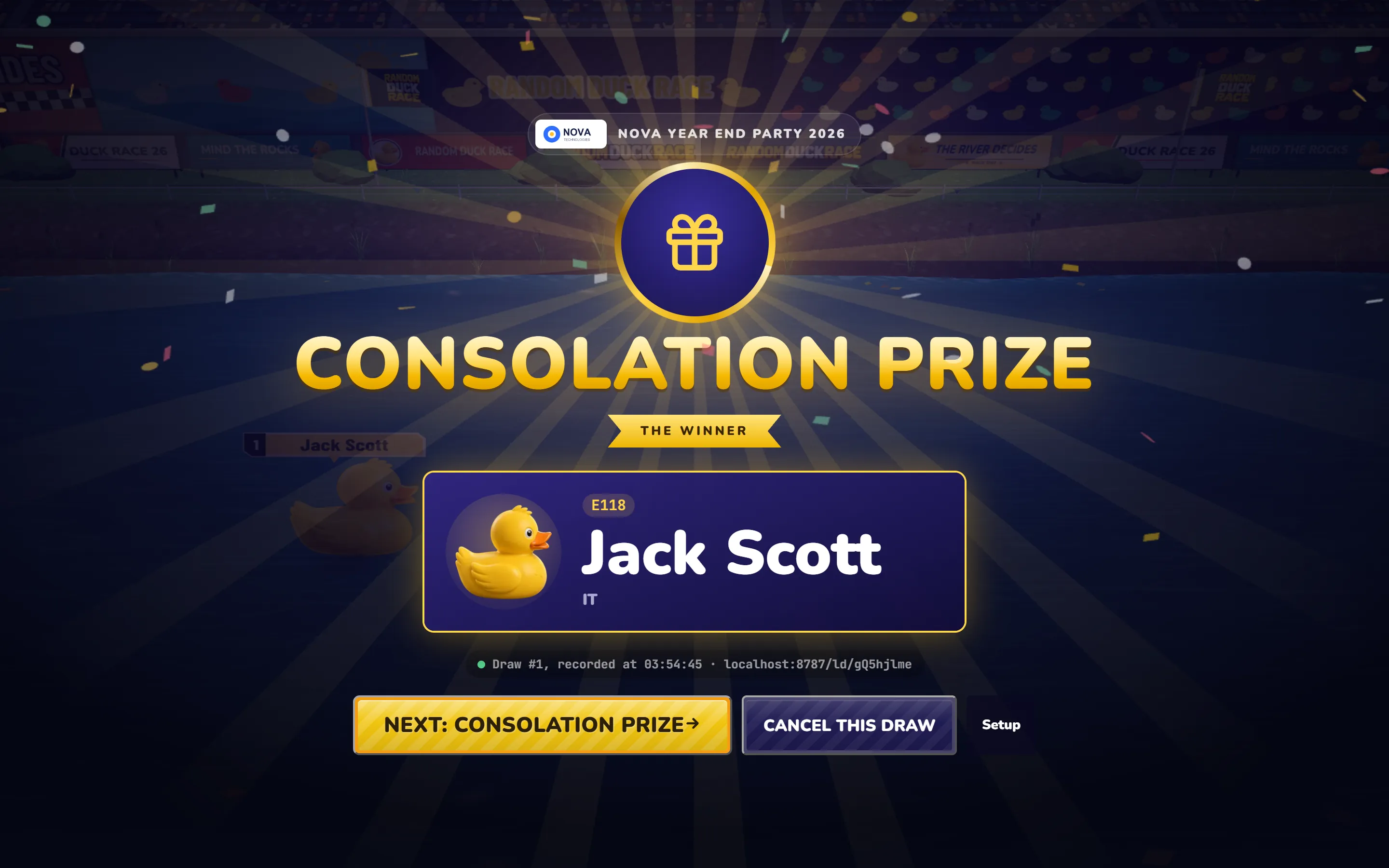
When the race ends, the winner’s card spins through the names like a slot machine and lands on the winner, with the prize above it. Press Next (it names the prize to come) for the next draw.
When something goes wrong
- Draw pressed by mistake? Cancel it with its reason. The cancelled draw stays on the record, struck through, so nobody can say a result was hidden.
- The winner is not in the room? Mark them as not present and draw that prize again. Both draws stay on the record.
- The venue’s Wi-Fi drops? Keep going. Each draw waits on the laptop and is sent when the connection is back, with both times on the record.
Step 6: Everyone checks the results
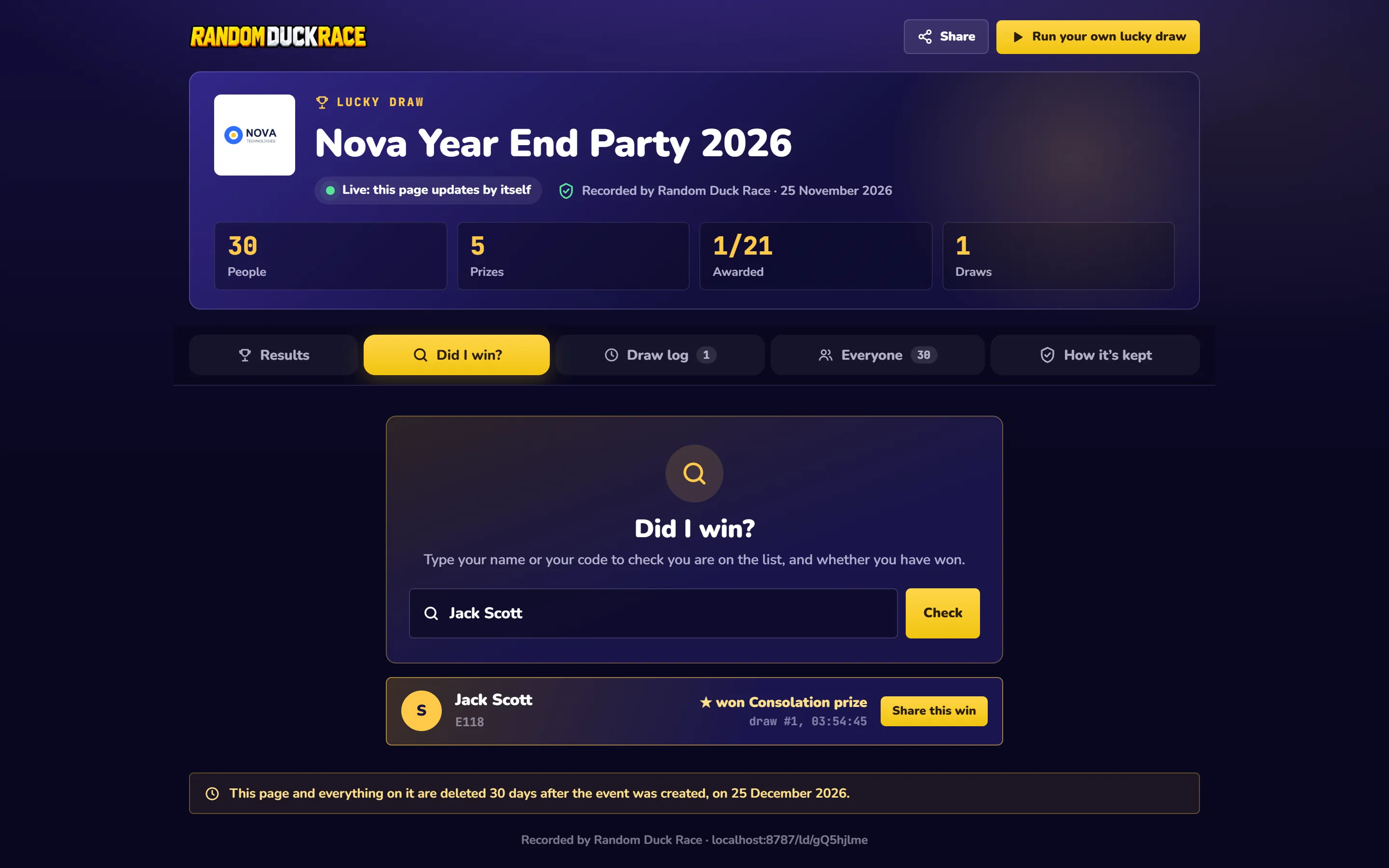
The public record fills in live during the party: the prizes and their winners, every draw in order with the server’s time, the list of people and how the record is kept. Each winner can make a picture of their win to post on social media.
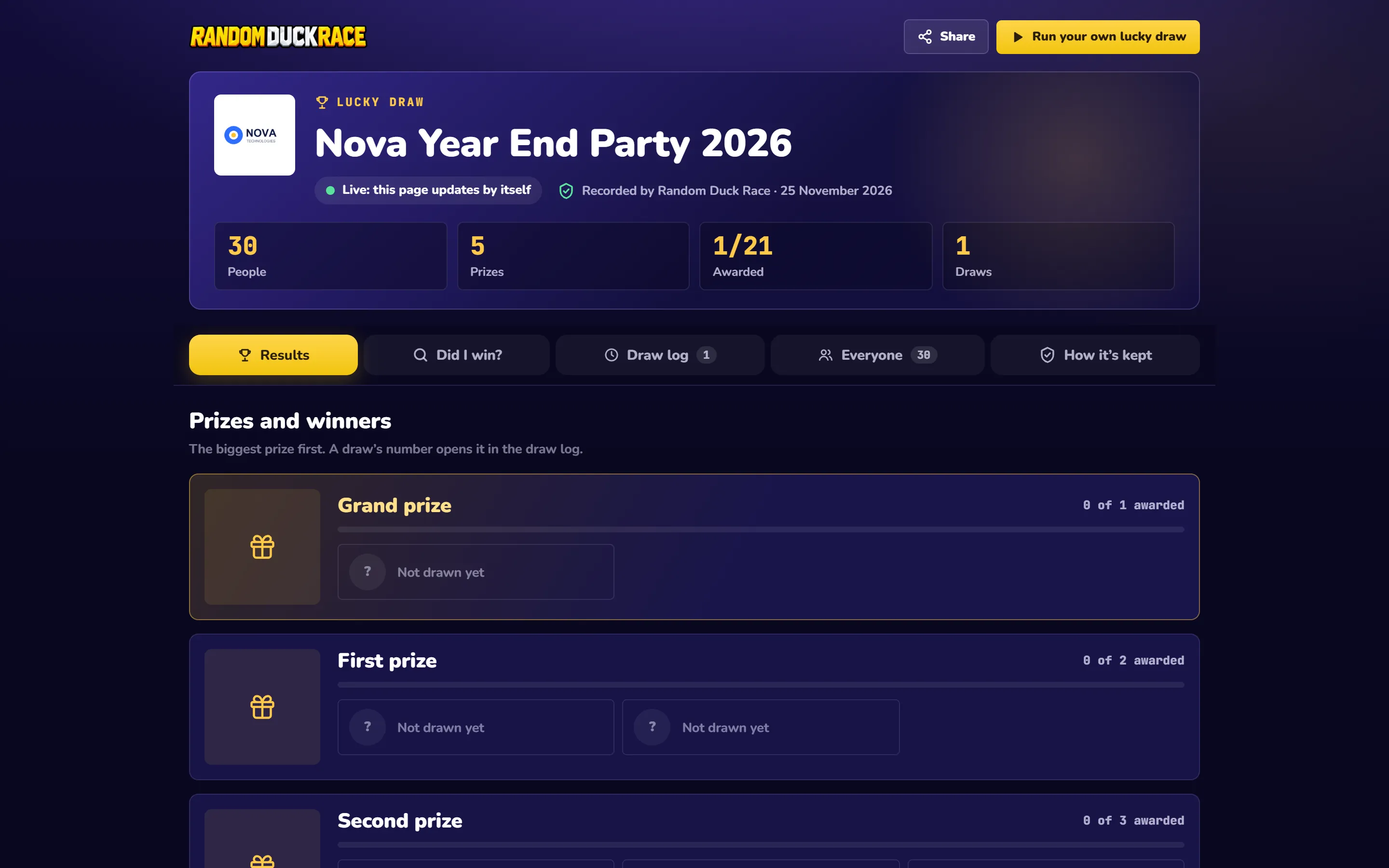
The Did I win? tab lets anyone type their name or staff code to see whether they are on the list and what they won. The record and everything on it is deleted 30 days after the event is created.
Tips for a smooth year-end party
- Rehearse with the demo list. Run one draw on the venue’s screen before the guests arrive, then start a new event for the real thing.
- Draw the small prizes in groups. Five consolation prizes in one race saves ten minutes.
- Put the QR code on every table. Guests stay with the draw on their phones, even at the back of the hall.
- Plug in the sound. The suspense music and the drum roll are half of the show.
Questions
Is this lucky draw free?
Yes. The lucky draw, the public record and the share pictures are free: up to 20 kinds of prizes and 1,000 people. You only need to sign in so your event is kept on your account.
Is the draw fair?
Yes. Every person is one duck with the same chance in every race, and each draw is recorded before the race is run. You can run the fairness test yourself.
Can I use it for a raffle or a giveaway?
Yes: any prize draw with a list of names works, from a company raffle to a school fair. For a quick one-off pick with no record, the duck race on the home page is enough.
What do guests see on the public record?
The prizes and their winners, every draw with its time, cancelled draws and absent winners, and the list of people with their full names. Add a password, or turn the record off, to keep it among your staff.
Keep reading
All posts Giveaways & events
Giveaway Picker: Draw a Random Winner Live
Instagram, TikTok, YouTube or Twitch: paste the names, race them live and give your community a draw worth watching.
 Teams & work
Office Duck Race: Fun, Fair Team Decisions
The lunch break that started Random Duck Race — plus the coffee run, stand-up order and the other small decisions a team can hand to the ducks.
 Giveaways & events
The Christmas Duck Race: A Festive Name Picker
Snowy pines, twinkling trees and Santa’s sleigh: the Christmas scenery, its own Jingle Bells and six ideas for Secret Santa, class and parties.